Smart Delete for Gmail: Review, Features, and Pricing
alwaysonplanb.com · checked 15 Oct 2026
A Gmail add-on that finds email patterns and helps delete unwanted messages in batches.
How it plugs in
Signal on Email Cleanup Software6.3#8 of 31
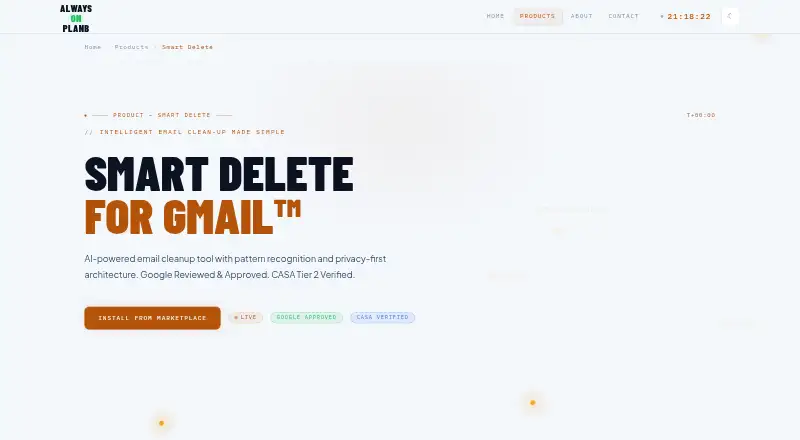
Smart Delete for Gmail is a browser extension and web add-on for bulk Gmail cleanup. It spots sender and subject patterns, suggests rules, previews matches, and sends selected threads to Gmail Trash. Starred and important messages are protected automatically. A free plan is available, with paid one-time options for higher monthly limits and more rules.
Review
In a line
Smart Delete for Gmail is a Gmail add-on that uses email patterns to recommend cleanup rules and remove unwanted messages in bulk. It runs as an extension and web tool.
What it does
The add-on can delete messages from a selected sender or domain, or match subject keywords. It detects patterns in your mailbox and suggests cleanup opportunities for frequent senders.
Before deletion, it shows the matching messages and count. Starred and important messages are excluded automatically. Deleted threads move to Gmail Trash, where they can be recovered for 30 days.
You can queue several deletion jobs for batch processing. The support guidance recommends queueing jobs involving more than 100 messages. Active rules run when you press “Run Cleanup Now.”
How it connects
Smart Delete works with Gmail through the Google Workspace Marketplace and appears in the Gmail sidebar when you open an email. Gmail is its only supported email provider.
It reads metadata such as sender, subject, and dates, but not message bodies or attachments. Processing and storage take place in Google Apps Script, with temporary data purged after operations. The maker says Google user data is not shared with outside service providers.
There is no public Smart Delete API, SDK, webhook interface, or self-hosting package described. The service is not open source.
Good fit
This suits Gmail users who want rule-based bulk cleanup without reviewing every message individually. It is useful for removing mail from certain senders, domains, or subject patterns.
The free plan includes pattern analysis and automatic protection for starred and important messages. Paid plans add higher deletion limits, more rules, and priority support.
Watch for
Smart Delete supports Gmail only, so it is not suited to other email providers. Cleanup rules are run manually rather than continuously.
The maker lists no public API or developer package, and the service is closed source. Check the monthly deletion and rule limits before choosing a plan.
The product is described as a solo-developer service in the United Kingdom. Email support is available at [email protected], with a stated response time of 24–48 hours.
Pricing
A free plan is available forever, with 500 deletions per month, three deletion rules, smart pattern analysis, and privacy protection. There is no free trial.
Light User costs $1 one time for 30 days and allows 1,000 deletions per month and five rules, plus priority support. Regular User costs $2 one time for 30 days and raises those limits to 2,000 deletions and seven rules.
Power User costs $10 one time for lifetime access, with 10,000 deletions per month, 13 rules, and priority support.
Verdict
Choose Smart Delete if your inbox is in Gmail and you want sender- or subject-based cleanup with a review step before messages reach Trash. The free tier covers light use, while the one-time paid plans suit larger or more frequent cleanups.
Look elsewhere if you need support for another mail provider, automatic unattended cleanup, an API, or open-source code. Also consider the stated deletion caps and rule limits when planning a large mailbox cleanup.
Our take
Smart Delete for Gmail is a focused option for Gmail users who want to clear recurring mail in batches. Its previews, Trash recovery window, and automatic exclusion of starred and important messages add safeguards. The free tier may be enough for occasional cleanup, while paid plans raise the limits without a recurring fee. It is a poor match for teams or developers needing integrations beyond Gmail, because no public API, SDK, webhook, or self-hosting package is described.
- Pattern suggestions help identify recurring cleanup targets.
- Preview shows matching messages before deletion.
- Starred and important emails are excluded automatically.
- Deleted messages stay recoverable in Gmail Trash for 30 days.
- Free plan includes 500 deletions per month.
- Works only with Gmail.
- Cleanup rules must be run manually.
- No public API, SDK, webhook, or self-hosting package.
- Paid plans have monthly deletion and rule limits.
- No free trial is offered.
- Pick it ifGmail users clearing recurring sender or subject-based mail; People wanting batch deletion with a review step; Light users who can stay within the free limits
- Skip it ifYou need another email provider or automatic unattended cleanup.; You require an API, webhooks, open-source code, or self-hosting.; Your mailbox regularly exceeds the plan's deletion limits.
Pricing
The free plan is permanent. Paid access is sold as one-time purchases: $1 or $2 for 30 days, or $10 for lifetime access, with different monthly deletion and rule limits.
- FreeForever free · 500 deletions/month · 3 deletion rules · Smart pattern analysis · Full privacy protectionFree
- Light User30-day validity · 1,000 deletions/month · 5 deletion rules · All free features · Priority support$1 one-time
- Regular User30-day validity · 2,000 deletions/month · 7 deletion rules · All free features · Priority support$2 one-time
- Power UserLifetime access · 10,000 deletions/month · 13 deletion rules · All free features · Priority support$10 one-time
As alwaysonplanb.com lists them, checked 15 Oct 2026.
Questions
Does Smart Delete work with email accounts other than Gmail?
No. Gmail is the only supported email provider listed.
Can it delete by sender or subject?
Yes. You can remove messages from a sender or domain, or create rules using subject keywords.
Are deleted emails recoverable?
Deleted threads move to Gmail Trash and remain recoverable there for 30 days.
Does Smart Delete read email content?
The maker says it reads metadata such as sender, subject, and dates, but not message bodies or attachments.
Is there a free plan?
Yes. The Free plan is billed forever at no charge and includes 500 deletions per month and three rules.
Do cleanup rules run automatically?
No. The support FAQ says users start active rules manually with the “Run Cleanup Now” button.
What support is available?
Email support is listed at [email protected], with a stated response time of 24–48 hours.