PayHOA: HOA Software for Payments and Management
payhoa.com · checked 15 Oct 2026
HOA software that brings association finances, payments, communications and homeowner services together online.
How it plugs in
Signal on HOA Management Software6.5#9 of 87
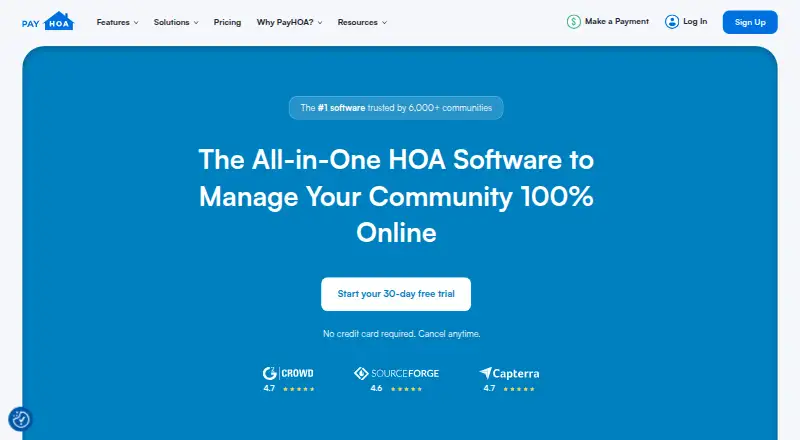
PayHOA brings association accounting, dues collection, homeowner communications, documents and service requests into a web platform. Homeowners can use a portal to pay and track finances, while association staff manage invoices, violations, maintenance requests and surveys. The platform lists connections to payment, messaging and other services; QuickBooks is not among them. Pricing is based on unit count, and a 30-day trial is available.
Review
In a line
PayHOA is web-based software for homeowners and community associations. It brings association finances, payments, communication and homeowner services together.
What it does
The software creates invoices for dues and other charges, then records payments in the association ledger. Staff can review cash or accrual reports and filter transactions by account.
Residents use a portal to pay, follow their financial records, manage household details and take part in community activities. The platform also stores documents and routes maintenance, architectural and general requests to appropriate resources.
For community updates, staff can send or schedule text messages, emails and phone calls. The platform also handles violation notices and online surveys, which show results as they come in.
How it connects
PayHOA lists Stripe and Plaid for payment and financial-data connections, alongside Twilio, Lob, Google Calendar and Western Alliance Bank. The company says QuickBooks is not integrated.
Customers can export information as CSV or PDF files. GetApp lists an API feature, but there is no public API documentation on PayHOA's product pages; contact the company to confirm whether it can support a documented connection to other software.
PayHOA is accessed through a browser and is designed to work on mobile devices, rather than being downloaded as a native phone app.
Good fit
PayHOA may suit associations that want one place to manage dues, accounting, homeowner messages and resident requests. It covers day-to-day work such as invoicing, collecting payments, storing documents and tracking violations.
It may also fit boards or managers who want residents to handle payments and financial tracking through an online portal.
Watch for
Associations that rely on QuickBooks should note that PayHOA does not integrate with it. Bank connection and synchronization problems are also reported as recurring concerns.
Some reviewers report limits on customization, occasional bugs and concern about charges adding up. One accounting complaint points to limited functionality and no full accounts-payable workflow. Check whether the accounting tools and payment costs fit your needs.
Pricing
For monthly billing, the listed price is $54 for up to 25 units, $65 for 26–50, $109 for 51–100, $142 for 101–150 and $186 for 151–200.
With annual billing, listed monthly rates are $49 for up to 25 units, $59 for 26–50 and $99 for 51–100 units; those amounts are billed yearly.
PayHOA has no free plan, but offers a 30-day trial.
Verdict
Consider PayHOA if your association wants online dues, resident self-service and basic management tasks in one web platform, and its unit-based plans fit your budget. The trial offers a way to assess the workflow before committing.
Look elsewhere if QuickBooks is central to your process or you need deeper accounting, reliable bank syncing or extensive customization. Confirm any extra payment charges and the yearly price for your unit range before deciding.
Our take
PayHOA is worth considering for associations that want residents to pay online while staff handle invoices, messages, documents and requests from one browser-based system. Unit-based pricing and a 30-day trial give smaller communities a way to assess the cost. Before choosing it, check how well its accounting covers your work, whether bank connections are dependable for your needs, and what payment-related charges apply. It is a poor match for teams that depend on QuickBooks integration.
- Resident portal supports payments and financial tracking.
- Automatically creates invoices for dues, fees, fines and late fees.
- Built-in workflows route maintenance, architectural and general requests.
- Lists connections including Stripe, Plaid and Google Calendar.
- Does not integrate with QuickBooks.
- No public API documentation is provided on product pages.
- Bank connectivity and synchronization problems are recurring complaints.
- Some reviewers report limited customization and occasional bugs.
- Pick it ifAssociations managing dues, requests and communications in one web app; Communities that want residents to pay and track finances online
- Skip it ifYour accounting process depends on QuickBooks.; You need a full accounts-payable workflow or extensive customization.
Pricing
Pricing is based on unit count. Listed annual-billing rates are $49 for up to 25 units, $59 for 26–50 and $99 for 51–100, billed yearly. The 30-day trial is available; there is no free plan.
- 0–25 unitsmonthly · communication tools · security · financial reporting · online payments · requests & violations · unit management$54/mo
- 0–25 units — annual25 unitsOn request
- 26–50 unitsmonthly · communication tools · security · financial reporting · online payments · requests & violations · unit management$65/mo
- 26–50 units — annual50 unitsOn request
- 51–100 unitsmonthly · communication tools · security · financial reporting · online payments · requests & violations · unit management$109/mo
- 51–100 units — annual100 unitsOn request
- 101–150 unitsmonthly · communication tools · security · financial reporting · online payments · requests & violations · unit management$142/mo
- 101–150 units — annual150 unitsOn request
As payhoa.com lists them, checked 15 Oct 2026.
Questions
Does PayHOA have a free plan?
No. PayHOA has a 30-day trial, but no free plan.
How much does PayHOA cost?
Monthly prices run from $54 for up to 25 units to $186 for 151–200 units. Annual-billing rates are listed for ranges up to 100 units.
Does PayHOA work with QuickBooks?
No. PayHOA says it does not integrate with QuickBooks.
What software does PayHOA connect to?
Listed integrations include Stripe, Plaid, Twilio, Lob, Google Calendar and Western Alliance Bank.
Can homeowners pay dues through PayHOA?
Yes. Homeowners can use the resident portal for payments and financial tracking.
Is PayHOA a phone app?
It is a mobile-friendly web app, not a downloadable native phone app.