
Standard Operating Procedure Software
Scribe software review
scribe.com · checked 15 Oct 2026
Scribe records work and turns it into step-by-step guides and process documents.
How it plugs in
Signal on Standard Operating Procedure Software6.6#2 of 22
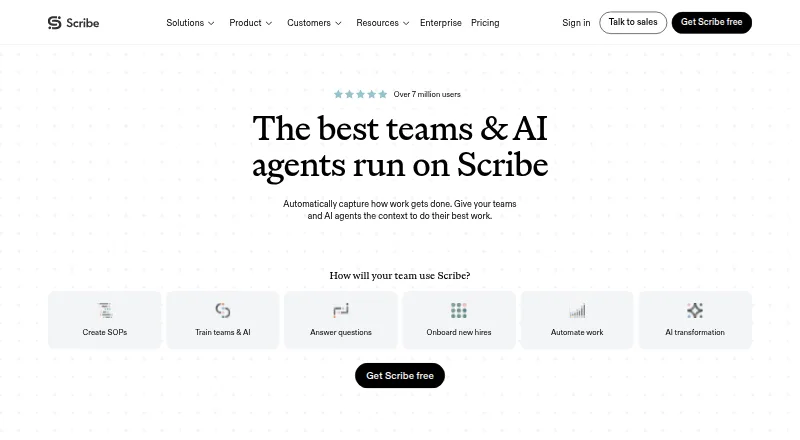
Scribe captures workflows from browsers, desktop apps, and uploaded screenshots, then creates editable guides. You can add branding, tips, alerts, GIFs, and redactions. Guides can be shared, embedded, or exported on paid plans. Scribe runs on the web, Windows, macOS, browser extensions, and an API, with free and paid plans.
Review
In a line
Scribe records how a task is done and turns the activity into step-by-step instructions and process documentation.
What it does
A Chrome or Edge extension captures work in websites. The desktop app records desktop applications and supports multiple monitors. Mobile and tablet users can upload images or screenshots.
Scribe creates written steps automatically. You can edit screenshots, format text, add tips and alerts, make GIFs, and use AI to suggest guide titles and descriptions. Pages combine several guides with text, videos, and links.
AI can also turn work you already completed into a Scribe without a new recording. Insights show guide views, completions, viewer activity, and feedback.
How it connects
Scribe connects with Copilot, Claude, ChatGPT, Cursor, Confluence, SharePoint, Microsoft Teams, Slack, Salesforce Knowledge, Zendesk, and HubSpot. Guides can be shared by email or link, embedded in knowledge bases and help centers, or exported to PDF, HTML, and Markdown on paid plans.
Teams can give AI tools workflow context through Scribe's MCP integration or API. The enterprise search API is limited to Enterprise Grid and Global customers, uses an X-API-Key header, and returns up to 15 results per search. Scribe is not open source.
Security options include redaction, authenticated viewers, role-based access, custom permissions, SSO, SCIM, domain control, audit logs, and IP whitelisting. Scribe lists SOC 2 Type II, HIPAA, FERPA, GDPR, and US state privacy laws among its compliance areas.
Good fit
Scribe suits teams documenting procedures, creating SOPs, training colleagues, onboarding hires, implementing software, or supplying workflow context to AI agents.
It is useful when instructions need screenshots, multimedia editing, sharing controls, completion tracking, or approval steps. Windows and Mac desktop apps, browser extensions, web access, and mobile uploads cover several working setups.
Watch for
The desktop app requires Windows 10 or later or macOS 14 or later. Mac users choose separate Apple Silicon or Intel installers.
Exports to PDF, HTML, and Markdown are paid-plan features. Enterprise-only search API access may not fit smaller teams. Scribe's core automatic guide creation does not use AI, while supporting AI features use third-party services; Enterprise customers can opt out of those AI features.
Check the editor and screenshot cleanup needs for your process before committing, especially if guides require frequent visual adjustments.
Pricing
Basic is free. It works with any web app and includes quick customization plus sharing by link or embed.
Pro Personal costs $35 per month, or $25 per user per month when billed yearly, starting with one seat. It adds web, mobile, and desktop capture, company branding, screenshot editing and redaction, and PDF, HTML, and Markdown export.
Pro Team costs $17 per month, or $13 per seat per month when billed yearly, starting at five seats. It includes Pro Personal features plus team comments, capture across web, mobile, and desktop, branding, and exports. Enterprise uses custom pricing and adds options such as automatic PII/PHI redaction, SSO, roles, governance, centralized management, and translations.
Verdict
Choose Scribe if your team needs to turn real software tasks into shareable instructions without writing each step manually. Its capture options, editing tools, redaction, analytics, and publishing formats cover training and process-documentation work.
Look elsewhere if you need open-source software, a low-seat team plan, or enterprise search API access without an Enterprise Grid or Global account. Review the desktop requirements and paid export limits before selecting a plan.
Our take
Scribe is a practical option for teams that need repeatable instructions from browser or desktop work. The free plan supports work with any web app, quick customization, and sharing by link or embed, while paid tiers add broader capture, branding, editing, exports, comments, and administration. Security and compliance controls support organizations handling sensitive screenshots. Buyers should confirm seat minimums, operating-system requirements, and whether enterprise-only API search matters. Scribe is less suitable for organizations seeking open-source software or avoiding third-party services for optional AI features.
- Captures browser and desktop workflows automatically
- Supports screenshot redaction and access controls
- Exports guides to PDF, HTML, and Markdown on paid plans
- Connects with major work and AI tools
- Offers free and paid tiers
- Paid team plan starts at five seats
- Enterprise search API is restricted to certain customers
- Desktop app has Windows and macOS version requirements
- Optional AI features use third-party services
- Exports require a paid plan
- Pick it ifTeams creating SOPs and training guides; Companies documenting software workflows; Organizations sharing controlled process knowledge
- Skip it ifYou need open-source software; You need enterprise search API access without an eligible plan; You require free PDF, HTML, or Markdown exports
Pricing
A free Basic plan is available.
- BasicFree · Works with any web app · quick customization · shareable by link and embedFree
- Pro Team$17 monthly or $13 yearly per seat; starts at 5 seats · Everything in Pro Personal · team comments · web, mobile and desktop capture · branding · exports$17/mo
- Pro Personal$35 monthly or $25 yearly per seat; starts at 1 seat · Web, mobile and desktop capture · company branding · screenshot editing/redaction · PDF, HTML and Markdown export$35/mo
- EnterpriseCustom pricing · PII/PHI auto-redaction · SSO · Creator, Viewer and Admin roles · governance · centralized user/document management · translationsOn request
As scribe.com lists them, checked 15 Oct 2026.
Questions
Does Scribe have a free plan?
Yes. Basic is free and includes work with any web app, quick customization, and sharing by link or embed.
Which platforms does Scribe support?
Scribe offers web access, an API, Windows and macOS desktop apps, and Chrome and Edge extensions. Mobile and tablet users can upload images or screenshots.
Can Scribe hide sensitive information?
Yes. It offers automatic, manual, and administrator-enforced redaction for sensitive screenshot content.
What can Scribe export?
Paid plans can export guides to PDF, HTML, and Markdown. Guides can also be shared by link or embedded.
Does Scribe provide an API?
Yes. Scribe documents an API and MCP integration. Its enterprise search API is available to Enterprise Grid and Global customers.
Is Scribe open source?
No. Scribe does not offer an open-source licence for its product.