
SignPath software signing and integrity platform
signpath.io · checked 15 Oct 2026
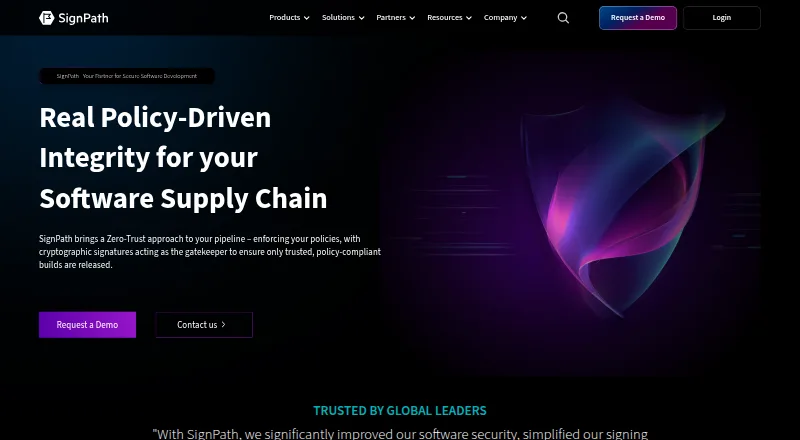
SignPath signs software releases and checks that builds follow your security and approval rules.
How it plugs in
Signal on Code Signing Software6.7#3 of 28
SignPath is a code-signing and software-integrity service for teams that need controlled releases. It checks repositories, builds, approvals, and CI/CD details before signing supported files, containers, and software packages. It offers SaaS, self-hosted, or hybrid deployment, APIs and pipeline integrations, plus audit records and signed attestations. An open-source plan is free when eligibility rules are met.
Review
In a line
SignPath is a platform for signing software and enforcing release policies. It is available as managed SaaS, self-hosted software, or a hybrid setup.
What it does
SignPath checks software origin and build details before a release is trusted. Teams can require reviews, approvals, malware checks, and other policy checks before signing.
It signs reviewed artifacts such as Windows files, installers, packages, scripts, containers, manifests, software bills of materials (SBOMs), and configuration files. Nested content, such as files inside installers or archives, can be handled automatically.
The service can create signed attestations, including SLSA provenance, validation summaries, and signed SBOMs. It also records signing requests, approvals, artifact details, certificates, policies, and results.
How it connects
Documented connectors work with GitHub Actions, GitLab, Jenkins, Azure DevOps, TeamCity, and AppVeyor. SignPath also lists plugins and a REST API for submitting artifacts, signing hashes, reading audit logs, and accessing configuration.
The API uses organization-level endpoints and bearer tokens. PowerShell modules are available for Windows, Linux, and macOS. Crypto providers let standard signing tools use SignPath keys through PKCS#11, Windows KSP, or macOS CryptoTokenKit.
Private keys stay in SignPath-managed or customer-managed FIPS 140-2 Level 3 hardware security modules. Supported downloads include Linux and Windows packages, a Windows provider, a Notation plugin, and a macOS package. See code signing software for related tools.
Good fit
SignPath suits development teams and enterprises that need controlled software releases, approval steps, and evidence about how a build was produced.
It supports Windows, macOS, Linux, web, API, and self-hosted use. Its documented targets include Windows PE, PowerShell, MSI, CAB, catalog, APPX, MSIX, NuGet, Java archives, containers, Linux packages, macOS code, and custom artifacts.
Watch for
The free Open Source Code Signing plan requires an OSI-approved license, no proprietary code or malware, and an actively maintained, released, documented project. Every release requires manual approval.
SignPath records service interruptions, including a software-key signing interruption and an HSM outage in 2026 that delayed or timed out signing requests. Check deployment, certificate, platform, and policy requirements before committing.
Pricing
Open Source Code Signing is free for qualifying projects under the Foundation rules, with manual approval for every release. The Foundation generates and stores the certificate private key in an HSM.
Code Governance and Software Integrity Platform have no published prices. SignPath requires a quote for each.
Verdict
Choose SignPath if your release process needs policy checks, approvals, protected signing keys, and records that can be exported or archived. Its connectors and API cover common build systems, while self-hosted and hybrid options give larger teams deployment choices.
It is less suitable when you need a published price or an open-source plan without strict eligibility checks. Teams should also assess how signing delays during service incidents would affect their release schedule. Open-source maintainers can review the SignPath Foundation option first.
Our take
SignPath is a practical match for organizations that must prove who approved a release and what build produced it. The combination of protected keys, policy checks, attestations, and audit exports covers both day-to-day signing and compliance evidence. Its free option is narrowly aimed at eligible open-source projects, while the two broader plans require a quote. Before choosing it, confirm that your target file types and build tools are supported, decide between SaaS and self-hosting, and plan for possible signing delays during service outages.
- Free plan for qualifying open-source projects
- Connectors for GitHub, GitLab, Jenkins, Azure DevOps, TeamCity, and AppVeyor
- Private keys kept in FIPS-compliant HSMs
- Signed attestations and exportable audit records
- Signs many packages, containers, scripts, and installers
- Paid plan prices are not published
- Open-source eligibility has strict license and maintenance rules
- Free releases require manual approval every time
- 2026 incidents delayed or timed out signing requests
- Pick it ifTeams enforcing approvals and policy checks before software signing; Open-source projects that meet the Foundation requirements; Organizations needing attestations and signing audit trails
- Skip it ifYou need transparent prices before contacting a vendor; Your project cannot meet the Foundation's open-source conditions; Signing interruptions would stop critical releases
Pricing
Qualifying open-source projects can use Open Source Code Signing free. Code Governance and Software Integrity Platform are quote-only, with no published prices.
- Open Source Code SigningOSI-approved license · no proprietary code or malware · actively maintained, released and documented project · manual approval for every releaseFree
- Code GovernancePricing not published · quote requiredOn request
- Software Integrity PlatformPricing not published · quote requiredOn request
As signpath.org lists them, checked 15 Oct 2026.
Questions
Is SignPath free?
Its Open Source Code Signing plan is free for eligible projects. Code Governance and Software Integrity Platform require a quote.
Which build systems connect to SignPath?
Documented integrations include GitHub Actions, GitLab, Jenkins, Azure DevOps, TeamCity, and AppVeyor.
What can SignPath sign?
It supports Windows files, PowerShell, MSI, CAB, APPX, MSIX, NuGet, Java archives, containers, Linux packages, macOS code, scripts, SBOMs, and custom artifacts.
Does SignPath offer an API?
Yes. Its REST API supports artifact submission, hash signing, configuration access, and audit-log reading through organization-scoped endpoints.
Where are signing keys stored?
Private keys remain in SignPath-managed or customer-managed hardware security modules. The architecture states FIPS 140-2 Level 3 compliance.
What are the open-source requirements?
The project must use an OSI-approved license, contain no proprietary code or malware, and be actively maintained, released, and documented.