Tabby: Self-Hosted AI Coding Assistant Review
tabbyml.com · checked 4 Oct 2026
Open-source, self-hosted AI coding help with completion, chat, and agent features.
How it plugs in
Signal on AI Coding Assistants7.1#14 of 103
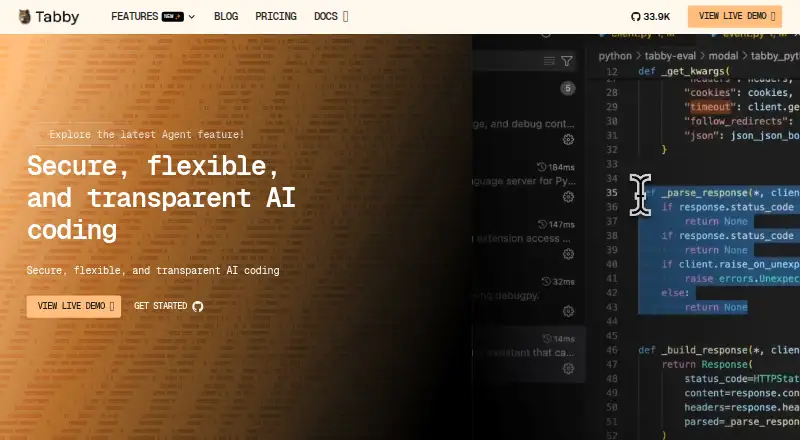
Teams can operate Tabby, an open-source AI coding assistant, themselves. Its features include code completion, coding-question responses, inline editor chat, codebase indexing, and an agent mode. Tabby runs locally or on-premises, connects to several editors, and exposes a completions API. The free tier serves up to five users, with paid access beginning at $19 per seat each month.
Review
In a line
Tabby is an open-source coding assistant that organizations host on their own server. It uses an AI language model to help write and understand code.
What it does
Tabby provides real-time suggestions as you type, responds to coding questions, and places chat inside the editor. An agent mode handles coding tasks, while codebase indexing lets suggestions draw on project context.
How it connects
Local and on-premises deployment lets Tabby operate without an outside cloud service or external database system. Its listed editor integrations cover VS Code, VSCodium, IntelliJ Platform, Vim, and Neovim, with Eclipse, Android Studio, and other JetBrains editors also listed by the maker.
The VS Code extension is distributed through Visual Studio Marketplace and Open VSX, where it connects to a Tabby server endpoint. Context Providers can supply documentation, configuration files, and external APIs. Tabby is open source, and its server exposes a completions endpoint for programmatic access.
Good fit
Tabby suits teams that want to keep an AI coding service under their own control. Developers using the supported editors can get completion, coding answers, inline chat, project-aware help, or an agent.
It runs on Windows, Linux, and macOS. Windows packages support CPU-only and CUDA systems; Linux packages support CPU, CUDA, and Vulkan setups; Apple M1 and M2 installation uses Homebrew with Apple Accelerate and CoreML.
Watch for
Check that your editor is supported and that your chosen computer or server matches the available CPU, CUDA, or Vulkan options. Self-hosting also means your team is responsible for running the service.
The Community plan is limited to five users, and Team supports up to 50. Unlimited users, customized deployment, enhanced security, and group management appear under Enterprise. Support documentation points users to the Tabby Slack community.
Pricing
Community is Tabby's free tier for as many as five users, offering local deployment, code completion, the Answer Engine, inline chat, and Context Provider features.
Team is priced at $19 monthly for each seat and allows up to 50 users with flexible deployment. Annual Basic is $180, Business is $280 when billed annually, and Enterprise is $480; these tiers combine features such as code analysis, documentation, collaboration tools, advanced suggestions, and priority email support.
Another Enterprise offering uses request-based pricing and lists unlimited users, customized deployment, enhanced security, and group management.
Verdict
Choose Tabby if your organization wants an open-source coding assistant that can stay on local or on-premises infrastructure. It is also a practical option for developers whose editor appears on the supported list and who want completion, chat, project context, or agent help.
Look elsewhere if you need an editor that Tabby does not support, prefer a hosted service instead of operating your own server, or need more than five users without a paid plan. Compare the Team seat limit and the Enterprise requirements before committing.
Our take
Tabby is a sensible choice for teams that need AI coding help under their own deployment control. The free Community tier gives small groups a way to start, while paid tiers add larger user limits, flexible or customized deployment, and business support features. Its editor coverage is broad, but you should confirm your exact IDE and system setup first. Organizations wanting unlimited users or enhanced security will need the Enterprise option and must request its price. Developers who do not want to manage a server may prefer another type of coding assistant.
- Open-source, self-hosted operation with local or on-premises deployment
- Completion, coding-question help, inline chat, indexing, and an agent
- Integrations for VS Code, VSCodium, IntelliJ Platform, Vim, and Neovim
- Community access at no cost for up to five users
- Server includes a completions API
- Self-hosting requires your team to run the service
- Community is limited to five users and Team to 50
- Editor and system support should be checked before setup
- Enterprise pricing is available only on request
- Pick it ifTeams seeking AI coding assistance they can host themselves; Developers using supported editors; Small groups starting with a free plan
- Skip it ifYou want a fully hosted coding assistant with no server management; Your editor is outside Tabby's supported list; You need unlimited users without an Enterprise agreement
Pricing
Community is free for up to five users. Team costs $19 per seat monthly; annual Basic, Business, and Enterprise plans are $180, $280, and $480. A separate Enterprise offering has a price on request.
- CommunityUp to 5 users · local deployment · code completion, Answer Engine, in-line chat, Context ProviderFree
- Teamper seat · Up to 50 users · flexible deployment$19/mo
- Basic PlanSave 20% · Real-time code analysis · Integrated code documentation · Collaboration tools included$180/yr
- Business Planbilled annually · Advanced code suggestions · Priority email support · Real-time code analysis · Integrated code documentation · Collaboration tools included$280/yr
- Enterprise PlanSave 20% · Priority email support · Advanced code suggestions · Real-time code analysis · Integrated code documentation · Collaboration tools included$480/yr
- EnterpriseCustomized, billed annually · Unlimited users · customised deployment · enhanced security and group managementOn request
As tabbyml.com lists them, checked 4 Oct 2026.
Questions
Is Tabby free?
Yes. Community costs nothing for up to five users and includes local deployment, completion, the Answer Engine, inline chat, and Context Provider features.
What editors does Tabby support?
Tabby supports VS Code, VSCodium, IntelliJ Platform, Vim, and Neovim. Eclipse, Android Studio, and other JetBrains editors are also listed by the maker.
Can Tabby run without a cloud service?
Yes. Tabby can run locally or on-premises and does not require an external cloud service or database system.
Does Tabby have an API?
Yes. Its server exposes a completions endpoint, and the documentation provides API references.
How much does the Team plan cost?
Team is $19 per seat each month and allows up to 50 users with flexible deployment.
Which systems can run Tabby?
Tabby provides Windows, Linux, and macOS options. Packages cover CPU, CUDA, or Vulkan setups depending on the system; Apple M1 and M2 use Homebrew with Apple Accelerate and CoreML.