
Typeform: Forms, Surveys, AI and Pricing
typeform.com · checked 28 Sept 2026
Web-based forms, surveys, quizzes and automations with AI tools, integrations and response limits by plan.
How it plugs in
Signal on Lead Capture Software6.7#1 of 70
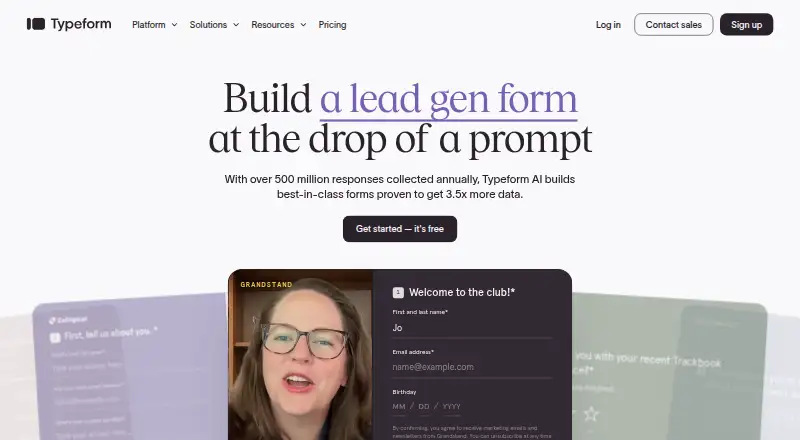
Typeform is a web-based form builder for surveys, quizzes, applications, landing pages and other response-collection jobs. Its no-code editor supports templates, branching logic, custom branding, embeds and QR publishing. AI can create and revise forms, while integrations and automation tools route responses. Plans range from free to custom Enterprise pricing, with response caps on most tiers.
Review
In a line
Typeform is a web-based builder for forms and surveys, with quizzes, tests, polls, applications, landing pages, NPS surveys, registrations and short forms. It also includes automation and AI features for working with responses.
What it does
A drag-and-drop editor lets you make forms without code, start from templates, add AI-generated questions and set conditional logic. You can publish by link, embed, or QR code, and collect payments or files.
Typeform AI can create, edit, remove and reorder questions and End Screens, build branching rules, improve wording and translate forms. Insights Hub uses AI to show trends, unusual responses, sentiment and themes in charts and shareable reports.
Workflow Builder and Contacts & Automations can qualify and route leads, alert teams, send follow-up email or Slack messages, create tasks, and start onboarding or feedback sequences. Research Flow recruits participants, runs moderated research and summarizes findings.
How it connects
Typeform lists more than 300 direct app integrations, including HubSpot, Salesforce, Mailchimp, Slack, Google Sheets, Stripe, Calendly and Notion. It also offers more than 500 connections through Zapier. A public API, webhooks and multiple embed options are available.
Forms can run on the web, Windows and Mac computers, and supported iOS or Android phones and tablets. On mobile, you can create AI forms, edit desktop forms and publish them, but adding logic, changing question settings or layouts, and creating question groups are not available.
Good fit
Typeform suits marketing, product and UX, growth, HR and talent, customer success, operations, research, founders and other teams that collect online data.
It is a fit for teams that need branded questionnaires, lead qualification, payment collection, respondent panels or personalized follow-up. Collaboration seats range from one to five users on listed plans, with custom options for larger needs.
Watch for
Most paid plans limit monthly responses: Basic has 100, Plus 1,000, Business 10,000, Talent 3,000 and Growth Flow 10,000. The free plan allows up to 10 responses each month.
Mobile editing is narrower than desktop editing. Enterprise pricing requires contacting sales, and its custom plans are the option for unlimited responses and seats. Check the response allowance, user seats and mobile requirements before choosing a plan.
Pricing
A free plan includes unlimited forms, 3,000-plus templates and up to 10 responses per month. Paid plans have a 14-day trial and start at $28/mo when billed annually; Basic is $39 a month or $28/mo annually, Plus is $79 a month or $56/mo annually, and Business is $129 a month or $91/mo annually.
Talent costs $169 a month or $119/mo annually. Growth Flow costs $379 a month after its 14-day trial, or $266/mo on annual billing; a credit card is required. Enterprise uses custom pricing and includes unlimited responses and seats.
Verdict
Choose Typeform if you want polished online forms with branching, embeds, payments, file uploads and a wide range of app connections. Its AI can reduce setup work, while analytics and automations help teams act on replies.
Look elsewhere if your audience is mainly mobile editors who need the full desktop feature set, or if your expected response volume does not fit the plan limits. Large organizations should compare the custom Enterprise offer with their security and seat needs.
Our take
Typeform makes sense for teams collecting customer, employee or research input across several channels. The free tier is suitable for very small volumes, while paid plans add higher response allowances, more seats and features such as branding controls, conversion tracking or follow-up automation. Its mobile creation limits and monthly response caps deserve attention. Enterprise buyers can request unlimited responses and seats with dedicated support, SSO and specified compliance options. Pick it when integrations and respondent experience matter more than unrestricted usage on standard plans.
- No-code editor with templates, branching and AI form creation
- 300-plus direct integrations and more than 500 via Zapier
- Collects payments and file uploads
- Embeds, links and QR publishing options
- API, webhooks and response analytics
- Free plan allows only 10 responses per month
- Paid tiers cap monthly responses
- Mobile editing lacks logic and several layout controls
- Enterprise pricing requires a sales contact
- Pick it ifTeams building branded forms, surveys and quizzes; Organizations routing leads or follow-ups through integrations; Research and UX teams collecting structured feedback
- Skip it ifYou need unrestricted responses without a custom Enterprise plan; Mobile users must manage logic and layouts; You require full form editing on phones or tablets
Pricing
- FreeFree ongoing plan · Unlimited forms · 10 responses/monthFree
- Basic39 USD/mo; yearly option 28 USD/mo, 468 USD total/yr · 100 responses/month · 1 user · unlimited typeforms · AI form creation · conditional logic · webhooks and integrations$39/mo
- Plus79 USD/mo; yearly option 56 USD/mo, 948 USD total/yr · 1,000 responses/month · 3 users · everything in Basic · remove Typeform branding · custom subdomain$79/mo
- Business129 USD/mo; yearly option 91 USD/mo, 1,548 USD total/yr · 10,000 responses/month · 5 users · everything in Plus · drop-off rates · conversion tracking · priority support and live chat$129/mo
- Talent169 USD/mo; yearly option 119 USD/mo, 2,028 USD total/yr · 3,000 responses/month · 3 users · unlimited typeforms · unlimited questions · video questions and answers · reCAPTCHA · multi-language support$169/mo
- Freefree · up to 10 responses/month · unlimited forms · 3,000+ templatesFree
- Growth Flow379 USD/mo after 14 days; annual option 266 USD/mo after 14 days; credit card required · 10,000 responses/month · 5 users · enrich 1,500 responses/month · Ask AI and Smart Insights · Contacts & Automations included · Salesforce integration · email and SMS follow-ups$379/mo
- Enterprisecustom plans · unlimited responses and seats · dedicated Customer Success Manager · SSO · HIPAA and GDPR compliance · US or EU data center · priority expert supportOn request
As typeform.com lists them, checked 28 Sept 2026.
Questions
Does Typeform have a free plan?
Yes. The Free plan costs nothing and includes unlimited forms, more than 3,000 templates and up to 10 responses per month.
How many responses do paid plans include?
Basic includes 100 responses per month, Plus 1,000, Business 10,000, Talent 3,000 and Growth Flow 10,000.
Can Typeform collect payments and files?
Yes. Typeform supports payment collection and file uploads.
What apps does Typeform connect to?
It lists more than 300 direct integrations, including HubSpot, Salesforce, Mailchimp, Slack, Google Sheets, Stripe, Calendly and Notion. Zapier adds more than 500 connections.
Can I use Typeform on a phone?
Forms can be completed on supported iOS and Android devices. Mobile users can create AI forms, edit desktop forms and publish, but cannot add logic, change layouts or create question groups.
Is there an API?
Yes. Typeform provides API access and webhooks for connecting form data and workflows.
What does Enterprise include?
Enterprise uses custom pricing and includes unlimited responses and seats, a dedicated Customer Success Manager, SSO, HIPAA and GDPR compliance, a US or EU data center and priority expert support.