
Recommended Free Tools
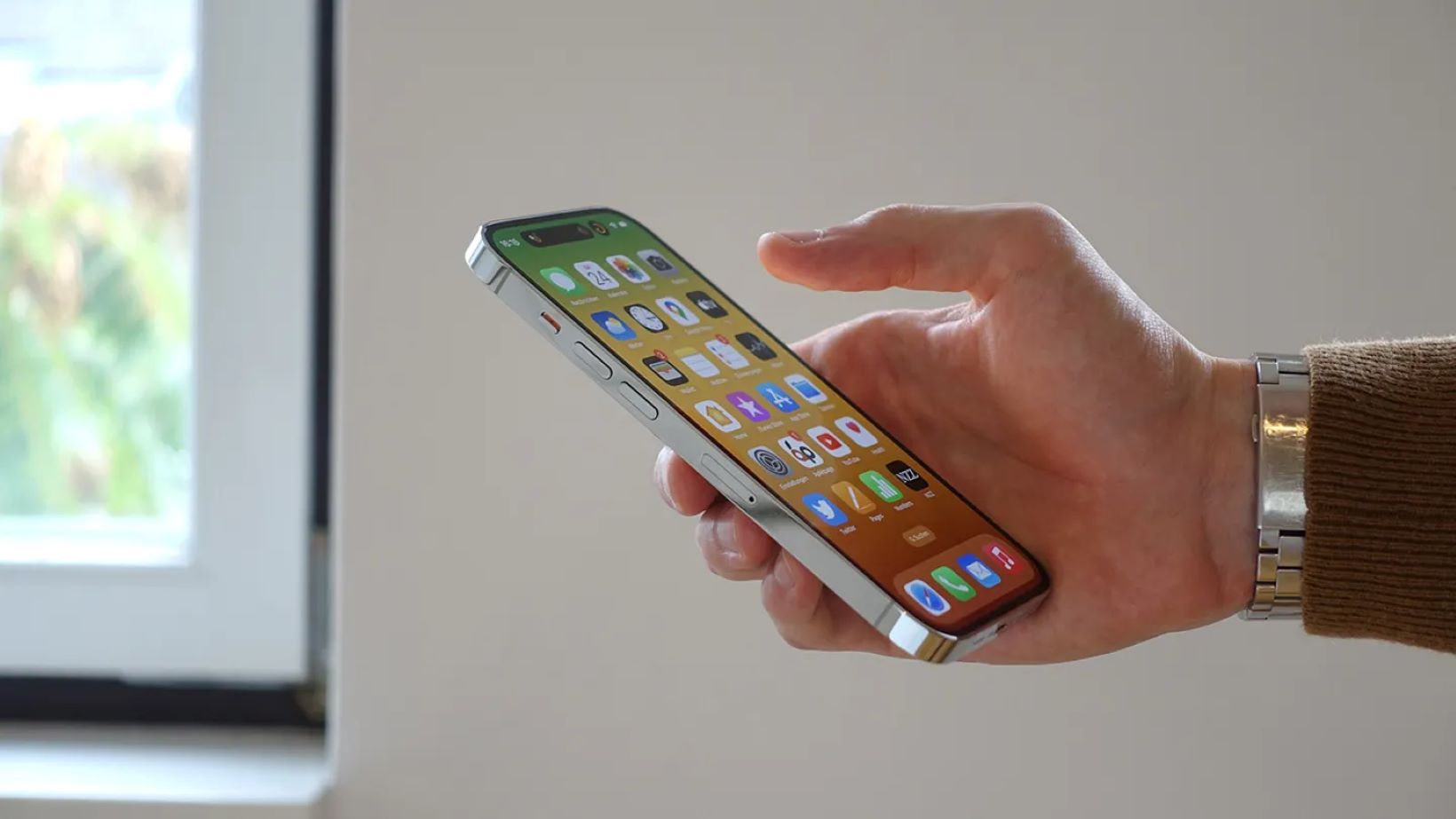
Apple has started rolling out iOS 26.1 this week, marking the first major update since iOS 26 debuted back in September. The update is available for iPhone 11 and newer devices, bringing along important security fixes and a handful of useful features that seem to directly respond to user feedback, particularly about the new “Liquid Glass” interface design.
Key Takeaways
• A new toggle lets users make the Liquid Glass interface less transparent for easier readability.
• Users can now disable the “swipe-to-open” camera gesture from the lock screen.
• Alarms and timers now require a “slide to stop” action, reducing accidental dismissals.
• Several security issues have been fixed, including one affecting Stolen Device Protection.
• Apple Intelligence and Live Translation now support more languages.
General shopping ads
New Features and Fixes
This update feels more about refinement than reinvention. The standout change is the new Liquid Glass toggle. When iOS 26 first arrived, its translucent, glass-like look drew mixed reactions. Many users liked the modern feel, but others found it harder to read text and buttons against bright or dynamic backgrounds. With iOS 26.1, Apple added a “Tinted” option under Settings, letting users make certain interface elements, like the Control Center and notifications, less transparent. It’s a small tweak, but one that noticeably improves contrast and overall usability.
Another long-requested addition is the option to turn off the Lock Screen Camera gesture. In earlier versions, swiping left on the lock screen instantly opened the Camera app, which was convenient in theory but often led to accidental activations in pockets or bags. Now, users can disable this feature entirely from the Settings menu.
Free tools Windows power users keep installed
One-click scans. No signup required.
Shopping ad
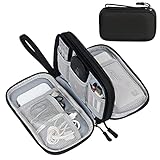
- Dimensions: 7.5" x 4.3" x 2.2". Compact size and lightweight make it easy to carry and put into your backpack, handbags or laptop bag without taking much space. Suitable for family use and daily organization. Note: Small mesh pockets are ideal for charging cords no longer than 3ft; longer cables (over 3ft) fit better in the larger compartments
- Quality Material: This electronic organizer travel case made of high quality durable waterproof oxford and soft sponge inside to secure your gadgets in place and deliver a quick access whenever you want. Water-resistant fabric protects your gear from unexpected splashes, keeping all your electronic essentials safe and secure
- Double Layers Design: This tech pouch features a double-layer interior design with 8 compartments, including multiple see-through mesh pockets and ample space to store your cords, cables, USB drives, cellphone, charger, mouse, flash drive and more, keeping all accessories neatly organized and tangle-free
- Practical and Convenient: Comes with a comfortable hand strap for easy carrying; You may carry it in your hand when heading out. Durable and smooth zipper closure keeps your favorite device securely, convenient for you to have quick access to the items inside the case
- Portable and Lightweight: The small size and lightweight design durable cable organizer pouch is a perfect choice when going on holiday, business trip, travel, office. Enjoy hassle-free travel without wasting time on tangled accessories. Great gift for yourself also a nice share with families and friends. (No include cords, electronic accessories)
Alarms and timers have also been adjusted in a subtle but practical way. Instead of a simple “Stop” button, they now require a “slide to stop” action. It might sound minor, yet it’s clearly designed to help prevent sleepy users from turning off their alarms without realizing it.
For those who use Apple’s AI features, language support is expanding. Apple Intelligence can now understand several new languages, including Danish, Dutch, and Swedish. Live Translation, particularly when used with AirPods, also got an upgrade, adding support for Japanese, Korean, Italian, and both Simplified and Traditional Chinese.
Shopping ad

- 【UPGRADED LAPTOP CLEANING KIT 】 The macbook cleaning kit computer screen cleaner comes with a number of accessories including a retractable large brush, polishing cleaning cloth X 2, keycap puller, metal pen tip, flocking sponge, thin soft brush, soft plastic lens cleaning pen, 5 replacing cloth, large cleaning microfiber cloth. You deserve the comprehensive computer cleaning kit keyboard vacuum at a low cost
- 【PROFESSIONAL KEYBOARD CLEANING KIT】 The laptop screen cleaner keyboard cleaner can pull out the keycaps of gaming keyboards and mechanical keyboards. A retractable keyboard brush works on laptops and keyboards, while the mini high-density brush is great for deep cleaning between keys for cleaning between flatter keys on a laptop, the metal pin tip gently removes any stains. This electronic cleaning kit macbook cleaner totally meets professional cleaning needs
- 【OFFICE DESK ACCESSORIES】This keyboard cleaner kit is easy to use and can clean your keyboard and electronic screen with just one swipe. Wiping with the 2mm thicken widen polishing cleaning cloth designed at a right angle for better fitting screen corners of computers with our recyclable cleaning spray, The laptop cleaner kit for macbook effectively absorbs stubborn stains, leaves no discoloration, no streaks, and no fiber shedding on the screens
- 【MULTIFUNCTIONAL TOOLS 】Mini soft brush and soft plastic lens cleaning pen are specially designed for DSLR camera screen, lens, and other delicate surfaces. 5 more cleaning cloths of it supplied for replacement. The flocking sponge is an excellent tool for cleaning earbuds charging cases, And the earbud cleaning kit is ideal. This electronics for college students is equivalent to 10 other electronic cleaning kit
- 【PORTABLE DESIGN & CLEANER TOOL】 The office supplies is compact in design, easy to carry, and you can easily take it anywhere. It's convenient to keep one in a drawer, one in your car, or in your bag and dorm. It is easy to use and can clean your keyboard and electronic screen with just one swipe. Is the college essentials cleaning tool for your friends, family, colleagues and students
Security Improvements
As always, Apple paired these usability updates with critical security enhancements. According to the official release notes, iOS 26.1 addresses multiple vulnerabilities, including one that could have allowed someone to disable Stolen Device Protection without authorization. Another fix targets a WebKit issue that potentially allowed for keystroke monitoring.
Interestingly, Apple also added a new option for automatic background security updates. This lets users receive vital security patches without waiting for a full iOS version update, which could make devices safer with less effort.
Quick wins for a faster PC:
Clear out junk files and repair common Windows errorsFree Scan →Scan for outdated or missing drivers - takes under a minuteDriver Scan →Shopping ad

- Compatible Space: This electronics organizer bag features 2 zippered mesh pockets fits phones, standard power banks, 4 elastic loop pouches for small items, 2 elastic loop pouches for wireless headphones and small chargers. Elastic loops for phone charging cable. And specific slots for SD cards. Please check the size to ensure it meets your needs
- Lightweight Travel Accessories: The size of the electronic organizer travel case is 10.6" L x 7.5" W x 1.2" H, Compact but substantial size fits your intended bag or space. Suitable for traveling use and daily organization
- Keep Everything Organized: This compact travel organizer features dedicated compartments for your phone charger, cables, and tech accessories, keeping them tangle-free and ready to go. You can find travel accessories quickly, no chasing cords in your pack anymore
- Durable Travel Essentials: Features double zippers for easy access, elastic loops with non-slip grips for daily protection. Organizer for office use and traveling, (Not including cords, electronic accessories). It can serve as a travel checklist. Before you leave a place, just open the case and check if everything is there, preventing you from leaving things behind
- Versatile Use: Its practicality and convenience make it a travel essential bag. It is suitable for a weekend trip, business trip, and travel. This organizer pouch is suitable for office, business, daily use and can be given as a gift for friends, family, or men, for birthdays, Valentine's Day, Christmas Day, Father's Day
The update is already rolling out to all eligible devices. iPhone users can install it by heading to Settings > General > Software Update. It’s a fairly modest release on the surface, but the combination of added control, accessibility tweaks, and behind-the-scenes security work makes it a meaningful step forward for iOS 26 users.
Independent reader supportYour contribution helps us test, update, and keep practical guides available for everyone.Frequently Asked Questions (FAQs)
Q: Which iPhones can get the iOS 26.1 update?
A: iOS 26.1 is available for the iPhone 11 and all newer models, as well as the iPhone SE (2nd generation) and later.
Shopping ad
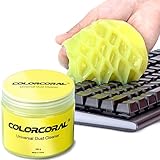
- Universal fit: ColorCoral cleaning gel, simple and convenient cleaning kits for PC/laptop keyboard and other rugged surface, such as the car vent, camera, printer, telephone, calculator, Instrument, speaker, air conditioner, TV and other appliances
- Safe cleaning gel: The keyboard cleaner gel is made from natural gel, no sticky to hands, smells sweet with lemon fragrance, no stimulation to skin
- Easy dust cleaning: Make sure your hands are dry and clean, knead the cleaning gel into a ball, press the cleaning gel slowly into the keyboard, car vent and rugged surface till the cleaning gel could touch the bottom and then pull out, the dust would be carried away with the cleaning gel
- Reusable: The keyboard cleaning gel could be used repeatedly till the color turn to dark or it become sticky, then you have to replace the cleaning gel with a new one. After cleaning, please stock the cleaning gel in cool place. (Note: Don’t wash the gel in water.)
- In the package: 1 can of universal cleaning gel, we provide the cleaning gel with brand new, if you find the package broken, the cleaning gel dirty, or any other quality issues, please email us through message, we provide you new one soon
Q: What is “Liquid Glass” and what did the update change?
A: Liquid Glass is the name for the new translucent (see-through) design that Apple introduced in iOS 26. The iOS 26.1 update adds a “Tinted” option that makes this design more opaque (less see-through) to make it easier to read.
Windows Errors? Fix Them Before They Spread
Repair common Windows errors and clear accumulated junk for a smoother, more stable PC - no reinstall needed.Free scan · no reinstallOutdated Drivers Are Slowing You Down
One free scan finds every outdated or missing driver and matches the right update for your exact hardware.Free scan · exact hardware matchShopping ad

- Award-Winning Compact Design & EDC-Ready Gift Choice: Weighing only 0.09 lb and sized like a credit card, this compact laser measure is designed for everyday carry. It slips easily into a pocket, tool pouch, or bag, and can attach to a keychain for quick access wherever you go. Its minimalist design, premium tactile finish, and practical one-button measuring make it a useful EDC gadget for DIYers, real estate agents, homeowners, and tech enthusiasts. A thoughtful gift for men on any occasion
- One-Button Easy Measuring, Simple to Use: Designed with simple one-button operation, this compact laser tape measure makes quick measuring easy without complicated controls. Just press to measure room dimensions, furniture spacing, window height, wall décor placement, and everyday distances around the home. Ideal for users who want a smart, pocket-size measuring tool that fits naturally into an everyday carry (EDC) setup and feels intuitive, modern, and easy to use
- Fast & Accurate Indoor Measurements with Class 2 Laser: Measure distances from 0.16 ft to 98 ft with up to ±1/16 in / ±2 mm accuracy. With quick measurement response in about 0.2 seconds, HOTO helps you check spaces efficiently for home renovation, furniture layout, moving, decorating, craft projects, and DIY planning. Built with a Class 2 laser for everyday indoor measuring; use as directed and avoid direct eye exposure
- Low-Power OLED Display & USB-C Rechargeable Convenience: The low-power OLED display provides clear indoor readings while helping reduce battery drain. With USB-C rechargeable design, auto shut-off, and up to 1000 measurements per charge, this digital laser measure is built for repeated daily use without frequent battery replacement. Compact enough to keep in a drawer, toolbox, bag, or pocket
- Useful for Home, Work & Everyday Projects: From home renovation and furniture measuring to room planning, real estate checks, interior design, and light construction projects, this pocket-size laser distance measure is made for practical everyday use. Compact enough to keep in a drawer, toolbox, bag, or pocket, it is a stylish measuring tool that feels just as giftable as it is useful
Q: How do I turn off the camera on my lock screen?
A: After updating to iOS 26.1, go to Settings > Camera. You will find a new toggle labeled “Lock Screen Swipe to Open Camera” that you can turn off.
Q: Did iOS 26.1 fix the battery drain issues?
A: Some users reported temporary battery drain after installing the update, which is common as the phone finishes indexing files. If battery drain continues, it may be related to a specific app.
Q: How do I get the new update?
A: You can download and install the update by opening the Settings app on your iPhone, then tapping “General,” and then “Software Update.”
More shopping ads
Product prices and availability are accurate as of the date/time indicated and are subject to change. Any price and availability information displayed on Amazon at the time of purchase will apply.

