
FreshBooks: Cloud Accounting for Small Businesses
freshbooks.com · checked 17 Nov 2026
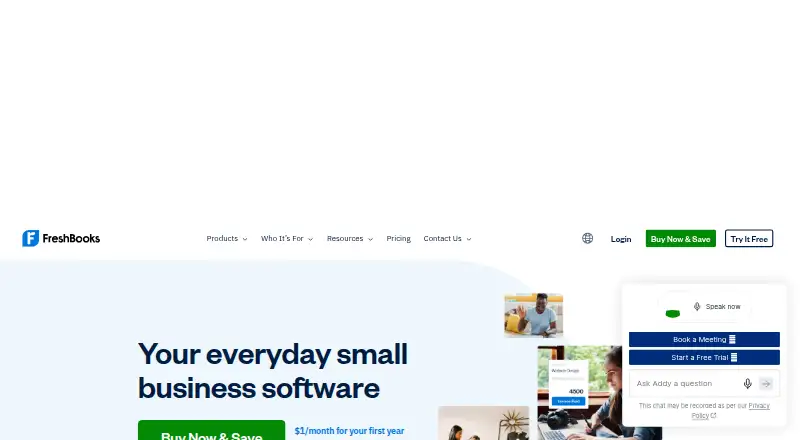
FreshBooks is hosted accounting software for freelancers, solopreneurs, and small businesses.
How it plugs in
Signal on Trucking Accounting6.3#3 of 21
FreshBooks combines invoicing, payments, expense tracking, time tracking, projects, and reporting in a hosted service. Tracked work can flow into billing, and projects organize client activity. Plans vary in client limits and accounting features; integrations and an API support connections to other tools. The service runs in browsers and on mobile devices, with certain capabilities reserved for desktop.
Review
In a line
FreshBooks is hosted accounting software for freelancers, solopreneurs, and small businesses. It combines billing and client-work tools with accounting features.
What it does
Invoices can include logged hours and expenses, tax calculations, and selectable payment methods. Users can also create recurring invoices, take online payments, scan receipts, import bank expenses, and record business mileage.
Projects group client work, team members, time, invoices, and expenses. Tracked time can flow into billing, and project views show profitability.
How it connects
FreshBooks lists connections to apps such as Acuity, Checkeeper, SurePayroll, and Employment Hero. Its materials say Zapier links it with over 1,500 apps. Developers can use its OAuth2 API to create integrations and automate account tasks; FreshBooks provides Python and Node.js SDKs, alongside community Java and PHP libraries.
The service is proprietary and hosted online, with no self-hosted option. It is available through a browser and iOS and Android apps. Mobile support starts at iOS 15 or Android 7.0, while some capabilities, including reporting, remain desktop-only.
Good fit
FreshBooks targets freelancers and small businesses seeking one service for client billing, expense and time tracking, and project organization. It may also suit teams that need project profitability views or accounting reports.
Watch for
Plan allowances set different billable-client ceilings: Lite permits 5, Plus permits 50, and Premium and Select list unlimited clients. Archived clients count alongside active ones.
Double-entry accounting is offered on the Plus, Premium, and Select plans. Check desktop availability for reports and verify mobile operating-system requirements before choosing the service.
Pricing
Lite costs $4.60 monthly for up to 5 billable clients; Plus costs $8.60 monthly for up to 50. Premium is $14 monthly with unlimited clients, and Select offers unlimited clients at a price available on request.
Lite, Plus, and Premium are listed at 80% off for four months, with prior monthly prices of $23.00, $43.00, and $70.00. FreshBooks offers a 30-day trial but no free plan.
Verdict
Consider FreshBooks if client invoicing is central to your work and you also want to manage time, expenses, and projects. Match the client allowance to your needs; the lower listed prices apply for only four months. Double-entry accounting requires Plus or a higher tier. Look elsewhere if you need self-hosted software or desktop-only features while working on mobile.
Our take
FreshBooks is worth considering when client billing, expense tracking, time tracking, and project work need to sit in one cloud service. Plan limits differ: Lite and Plus restrict billable-client counts, whereas Premium and Select list unlimited clients; double-entry accounting starts with Plus. The listed lower prices are temporary four-month discounts, and Select requires a quote. Check mobile system requirements and desktop-only reporting before committing, especially if you expect to handle all work from a phone or tablet.
- Invoices can include logged time and expenses, tax calculations, and selectable payment methods.
- Tracked hours can be applied when preparing invoices.
- Projects group client work and include profitability views.
- Bank expenses, receipts, and business mileage can be tracked.
- FreshBooks has no free tier.
- Billable-client limits apply to Lite and Plus, with archived clients included in the count.
- Reporting and some other capabilities are limited to desktop use.
- FreshBooks is hosted cloud software with no self-hosted option.
- Pick it ifFreelancers billing clients for time and expenses; Small businesses managing client projects and invoices
- Skip it ifYou need to run accounting software on your own servers.; You require mobile access to desktop-only tools such as reporting.
Pricing
Lite, Plus, and Premium are listed at 80% off for four months; after that period, their stated monthly prices are $23.00, $43.00, and $70.00. Lite permits 5 billable clients and Plus 50, while Premium and Select list unlimited clients. Select is priced on request. FreshBooks offers a 30-day trial but no free plan.
- Lite80% off for 4 months; was $23.00 · 5 billable clients · estimates · expense tracking · online payments · tax reports$4.60/mo
- Plus80% off for 4 months; was $43.00 · 50 billable clients · proposals and retainers · accounting reports · receipt scanning · accountant access$8.60/mo
- Premium80% off for 4 months; was $70.00 · Unlimited clients · project profitability · customizable email templates · receipt scanning with line items$14/mo
- SelectUnlimited clients · lower payment fees · two team members included · Easy Switch migration · dedicated phone supportOn request
As freshbooks.com lists them, checked 15 Oct 2026.
Questions
Is a free FreshBooks plan available?
No free tier is listed; new users can try the service for 30 days.
What are FreshBooks' prices?
The listed promotional monthly rates are $4.60 for Lite, $8.60 for Plus, and $14 for Premium for four months. Select is priced on request.
What client allowance comes with each plan?
Lite permits 5 billable clients, Plus 50, and Premium and Select list unlimited clients. Active and archived clients both count toward the allowance.
Can tracked hours be billed through FreshBooks?
Time entries can be assigned to clients and projects and then used in invoice creation.
Are FreshBooks mobile apps available?
Yes. FreshBooks offers iOS and Android apps; iOS 15 or Android 7.0 is required, and reporting is among the features limited to desktop.
Which apps integrate with FreshBooks?
Listed integrations include Acuity, Checkeeper, SurePayroll, and Employment Hero. FreshBooks says Zapier connects it with more than 1,500 apps.
Near it
All alternatives →- ZB
 Zoho Books#2 on this board
- TTruckingOffice#4 on this board
- A
 AscendTMS#1 on this board
- QTQuickBooks Time#5 on this board
- ASAxon Software#6 on this board
- TTruckLogics#7 on this board
- XEXero Expenses#8 on this board
- RRRose Rocket TMS#9 on this board
- MLMcLeod LoadMaster#10 on this board
- IDITS Dispatch#11 on this board