
SolarWinds Service Desk: Features, Pricing, and Fit
solarwinds.com · checked 16 Nov 2026
Cloud IT service management with incident, asset, change, and AI-assisted support tools.
How it plugs in
Signal on IT Vendor Management Software6.2#7 of 41
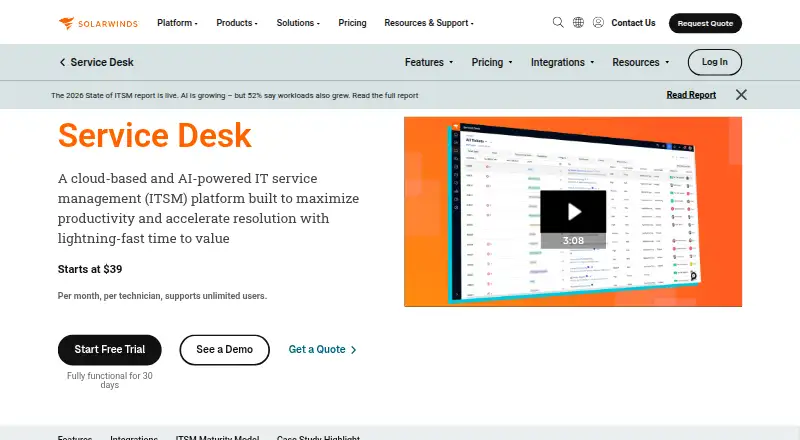
SolarWinds Service Desk brings cloud-based IT service management for incidents, assets, changes, requests, and self-service into one platform. Access is available through web, Android, and iOS, with links to over 200 cloud applications. Plans start at $39 a month when billed annually, with a 30-day fully functional trial and no free plan.
Review
In a line
SolarWinds Service Desk is a cloud-based, AI-powered platform for managing IT service work. It combines service requests, incidents, assets, changes, approvals, and self-service in one system.
What it does
Teams can handle incidents through the web, email, Microsoft Teams, Slack, or the mobile app. Tools include assisted responses, live collaboration, automatic categorization, smart suggestions, sentiment analysis, a generative AI sidekick, and a virtual agent.
Network scanning, connected-device reporting, and tracking for on-premises and cloud assets are part of its asset tools, which also support license management. Its CMDB shows dependencies, links assets to incidents, and helps assess the effects of changes.
The platform also includes SLA management, approval workflows, a knowledge base, employee portals, and self-service. Employees can browse FAQs and knowledge content, submit requests, and track tickets without paid technician licenses. Portals can support IT, HR, Finance, and Facilities, and can be branded without engineering work.
How it connects
More than 200 cloud applications appear in the integration directory, with Microsoft Teams, Slack, Jira, Okta, AWS, and Zapier among the named options. An Open REST API is also listed, and the Advanced plan includes API access.
It runs on the web, Android, and iOS. The mobile app provides ticket notifications, incident and asset management, quick ticket actions, and direct links to incident records.
Security controls can include multifactor authentication, data masking, audit history, and role-based access controls. Service Desk data is encrypted in transit and at rest with AES-256, and customers can choose a data center in the US, EU, or Australia.
Good fit
SolarWinds presents Essentials for growing teams, Advanced for mature IT organizations, and Premier for teams that want full customization. The platform suits organizations that need incident handling, asset tracking, change approvals, dependency visibility, and employee self-service in one cloud service.
It may also suit teams comparing AI IT Service Desk Software, because its listed AI tools cover ticket suggestions, categorization, sentiment, virtual-agent support, and a generative AI sidekick.
Watch for
There is no free plan. IT asset management is an additional purchase, and asset pricing is available on request, so the listed plan price may not cover all asset-related needs.
Check which plan includes the API access you need. The facts list API access with Advanced, while Premier lists up to 1,500 API calls per user per minute.
Support differs by plan. All plans include email and community support; Essentials lists real-time 24/7 live chat, while Advanced adds chat, phone, and email support.
Pricing
The paid plans are billed annually and priced per technician, with unlimited users. Essentials is $39 a month, Advanced is $99 a month, and Premier is $124 a month.
There is no free plan, but the product has a 30-day fully functional trial. Asset management costs extra, with pricing available on request.
Verdict
Choose SolarWinds Service Desk if your organization wants a cloud IT service platform with incident management, asset and change controls, employee portals, mobile apps, and built-in AI features. Its integrations and data-center choices may help teams with existing cloud tools or regional data needs.
Look elsewhere if you require a free plan or need asset costs included in the main subscription price. Teams that need API access should also compare the plan levels, since the listed API access begins with Advanced.
Our take
SolarWinds Service Desk is a reasonable fit for organizations moving beyond basic ticket handling and needing assets, changes, approvals, knowledge content, and employee requests together. Its paid structure suits teams with a budget for technician-based plans and possible extra asset charges. The 30-day trial gives buyers time to check workflows and integrations. Smaller groups seeking a free option, or buyers who want one clear price including asset management, should consider other products.
- Covers incidents, assets, changes, approvals, SLAs, and self-service
- The directory includes over 200 cloud application connections
- Includes web, Android, and iOS access
- Offers AI assistance, a virtual agent, and smart suggestions
- Employees can submit and track tickets without paid technician licenses
- No free plan
- Asset management costs extra
- Asset pricing is available only on request
- API access is included in the Advanced plan
- Plans are priced per technician and billed annually
- Pick it ifGrowing teams needing a cloud IT service desk; Mature IT organizations managing incidents, assets, and changes; Teams wanting AI tools and employee self-service
- Skip it ifYou need a free IT service desk; You want asset management included in the listed plan price; You need API access without moving to Advanced or higher
Pricing
Annual billing applies to the paid plans, which charge per technician while allowing unlimited users. Essentials is $39 a month, Advanced is $99 a month, and Premier is $124 a month. Asset management is an extra purchase, and the product offers a 30-day trial rather than a free plan.
- Essentialsannually; per technician · unlimited users · asset pricing available upon request$39/mo
- Advancedannually; per technician · unlimited users · asset pricing available upon request$99/mo
- Premierannually; per technician · unlimited users · asset pricing available upon request · up to 1,500 API calls/user/minute$124/mo
As solarwinds.com lists them, checked 3 Oct 2026.
Questions
Does SolarWinds Service Desk have a free plan?
No. SolarWinds Service Desk is paid software. It offers a 30-day fully functional trial instead of a free plan.
How much does SolarWinds Service Desk cost?
The monthly rates are $39 for Essentials, $99 for Advanced, and $124 for Premier. Annual billing applies to each plan, with charges based on technicians and unlimited users included.
Does it include asset management?
IT asset management is available as an additional purchase. Asset pricing is available on request, so it is not included in the listed plan prices.
What integrations does it support?
The directory covers over 200 cloud applications and names Microsoft Teams, Slack, Jira, Okta, AWS, and Zapier among them.
Does SolarWinds Service Desk have an API?
Yes. An Open REST API is listed. Advanced includes API access, while Premier specifies a limit of up to 1,500 API calls per user per minute.
Can employees use it without paid licenses?
Employees who submit requests and track tickets do not need paid technician licenses. They can also use self-service knowledge content and FAQs.
Where can it run?
SolarWinds Service Desk is cloud-based and runs on the web, Android, and iOS. Customers can choose a data center in the US, EU, or Australia.
Near it
All alternatives →- F
 Freshservice#6 on this board
- MA
 ManageEngine AssetExplorer#8 on this board
- AN
 Alloy Navigator#5 on this board
- FO
 Flexera One IT Asset Management#9 on this board
- RA
 Ramp AP#4 on this board
- S
 Setyl#10 on this board
- MS
 ManageEngine ServiceDesk Plus#3 on this board
- V
 Vendr#11 on this board
- L
 LICENSEWARE#2 on this board
- VVendorJot#12 on this board