
SupportBee software review
supportbee.com · checked 18 Nov 2026
Shared email becomes organized tickets in SupportBee, with team workflows, a knowledge base, reports, and API access.
How it plugs in
Signal on Email Collaboration Software7.1#4 of 35
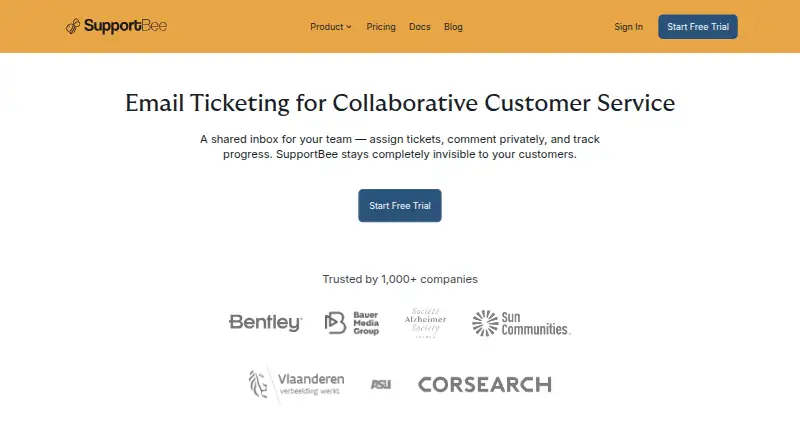
SupportBee is a web and API support tool that organizes customer emails as tickets. Teams can route, discuss, and close requests, publish knowledge-base material, and examine reports. It connects with major email services and listed work apps, includes automation and a customer portal, and offers paid plans with a 14-day trial.
Review
In a line
SupportBee turns incoming customer messages into tickets for team assignment, discussion, and resolution. The service runs on the web and provides API access.
What it does
A shared inbox lets teams assign tickets, add internal discussion, and apply ticket automation. The product includes a portal for customers.
The knowledge base supports customer self-service articles or private team material. Gmail-compatible keyboard shortcuts and live updates are included.
Reports show performance by agent, team, and label; customer satisfaction ratings and ticket audit trails add more detail.
How it connects
Gmail, Google Workspace, Microsoft Outlook, and Microsoft Office 365 can connect through native OAuth. Listed work-app integrations include Asana, Basecamp, ClickUp, GitHub Issues, Linear, Notion, Trello, Slack, and Pipedrive.
The API lets teams create or manage tickets, post replies and comments, administer customers and agents, view reports and analytics, and automate workflows. For a wider comparison, see shared inbox software and help desk software.
Good fit
SupportBee suits teams that want customer email handled as a shared queue instead of separate personal mailboxes. It fits support work that needs assignments, a customer-facing portal, self-service articles, and team reporting.
Teams that need support activity connected with project, communication, or sales tools may find the API and listed integrations useful.
Watch for
SupportBee has no free plan, so use beyond the trial requires payment. Check whether the Startup plan's single team and knowledge base cover your setup.
SupportBee states that it uses HTTPS, offers two-factor authentication through Google Authenticator, is GDPR-compliant, runs on AWS across multiple availability zones, and tests disaster recovery yearly. Confirm these claims against your own security requirements.
Pricing
SupportBee uses a paid model. Annual billing starts at $17 per user each month, and the service offers a 14-day trial without requiring a credit card.
With monthly billing, Startup is $20 and includes one knowledge base, one team, plus unlimited email inboxes and tickets. Enterprise is $25 per month with unlimited email inboxes and tickets.
Verdict
Choose SupportBee if your support process starts in email and you need shared ownership, ticket automation, a knowledge base, and reports in one service. API access and email-provider connections provide ways to link existing tools.
Look elsewhere if you require a free plan or if the Startup limits do not match your team structure.
Our take
SupportBee can move teams from individual email handling to a shared ticket process. It combines assignments, internal discussion, automation, a customer portal, self-service content, and operational reports. Connections for major email services, API access, and several work apps may fit an existing toolset. The trade-offs are its paid-only model and the Startup plan's limits on teams and knowledge bases. Buyers can use the 14-day trial without a credit card to assess those limits and workflows.
- Turns customer emails into shared, assignable tickets
- Includes a customer portal and public or private knowledge base
- The API supports ticket, reply, comment, customer, agent, report, analytics, and workflow tasks
- Connects with major email providers and listed work apps
- Performance reporting includes satisfaction ratings and ticket audit trails
- SupportBee does not offer a free plan
- Startup includes only one team and one knowledge base
- Annual entry pricing is per user, while listed plans bill monthly
- Pick it ifTeams managing customer support from shared email; Organizations needing a knowledge base and customer portal; Teams connecting support work to other listed apps
- Skip it ifYou need a permanently free help desk; Your setup requires more than one Startup team or knowledge base
Pricing
SupportBee has no free plan. Monthly plans list Startup at $20 a month and Enterprise at $25 a month. A 14-day trial is available without a credit card.
- Startupannually · Per seat; unlimited email inboxes/tickets$17/mo
- Enterpriseannually · Per seat; everything in Startup plus enterprise integrations, business hours, customer portal software, audit log and data history, portal access for customer groups$21/mo
- Startupbilled annually ($204 per seat/year) · Shared Inbox, Snippets, 1 Knowledge Base & 1 Team, Filters, Basic Integrations, API Access, Unlimited Email Inboxes/Tickets$204/yr
- Enterprisebilled annually ($252 per seat/year) · Everything in Startup plus Enterprise integrations, Business Hours, Customer Portal Software, Audit log and data history, Portal Access for Customer Groups$252/yr
As supportbee.com lists them, checked 18 Nov 2026.
Questions
Does SupportBee have a free plan?
No. SupportBee is paid software, with a 14-day free trial that does not require a credit card.
What email services connect to SupportBee?
Gmail, Google Workspace, Microsoft Outlook, and Microsoft Office 365 are listed as native OAuth connections.
Does SupportBee provide an API?
Yes. Its API supports tickets, replies, comments, customers, agents, reports, analytics, and workflow automation.
What is included in the Startup plan?
With monthly billing, Startup costs $20 and provides one knowledge base, one team, and unlimited email inboxes and tickets.
Can customers find answers themselves?
Yes. Customer-facing answers can be published in the knowledge base, while a private version can store team information.
Which tools integrate with SupportBee?
SupportBee lists Asana, Basecamp, ClickUp, GitHub Issues, Linear, Notion, Trello, Slack, and Pipedrive among its integrations.