Vidio.ai: Video Editing, Features, and Pricing
vidio.ai · checked 21 Oct 2026
Browser-based video editor that makes clips, prepares social posts, and tracks channel performance.
How it plugs in
Signal on AI Video Editing Software7.6#1 of 32
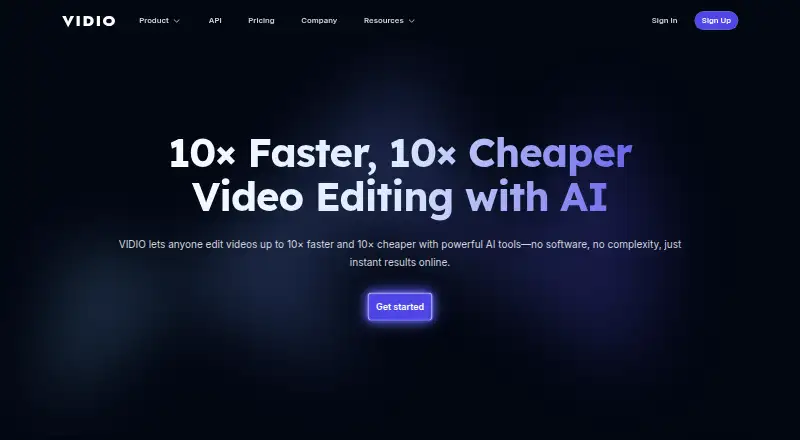
Vidio.ai edits videos and recordings, turns longer footage into captioned vertical clips, and helps creators prepare and schedule social posts. It runs in a browser, with iOS and API listed as platforms. It offers a free plan and paid plans with usage credits; credits expire at the end of each billing cycle. Check the plan details for output quality, file limits, and API access.
Review
In a line
Vidio.ai is a browser-based video editor and channel-growth service for creators. It helps edit footage, prepare social uploads, and review channel performance.
What it does
Its automatic editor finds useful moments in recordings, removes pauses, and adds music and transitions. It can also turn longer videos or streams into vertical clips with captions for Shorts, TikTok, and Reels.
VibeEdit lets users request changes in chat and applies them to the editing timeline. Other tools add animated captions synchronized to speech, clean up background noise, replace a room background, blur faces or other details, and improve dim or blurry footage.
Publishing tools can suggest titles, descriptions, tags, and posting times, and score hooks and click appeal. The editor can upscale footage to 4K.
How it connects
Vidio.ai runs in a browser, and iOS is also listed as a platform. The service describes social-media imports on paid plans and XML export for Premiere Pro. It prepares clips for TikTok, Reels, and Shorts.
An API can upload footage, create highlight reels, and render results. API access is limited to Studio and higher plans; other uses require an access request. The currently supported SDK is Python, a way to use the API from Python software.
The service is not open source. Its documentation describes work being sent to Vidio.ai, not self-hosting. A searchable support center covers setup, billing, refunds, background tools, and Premiere XML export.
Good fit
Vidio.ai may suit creators who want to turn recordings or streams into short social clips, or prepare and schedule uploads from one browser-based service. It also offers tools for captions, audio cleanup, background replacement, and footage enhancement.
It may be useful when you need Premiere Pro XML export or API-based highlight-reel creation, provided your plan and access support those needs.
Watch for
The free plan limits users to 10 messages a month, watermarks output, and has limited features. Paid plans use credits, which expire at the end of the billing cycle and do not roll over.
Check each plan's file-size, job, and output limits before choosing. API access starts at Studio, and uses beyond highlight reels require an access request. The cited product information does not specify minimum computer hardware or browser versions.
Some reviewers report slow processing, wanting more control over edits, or finding results unsuitable for demanding projects.
Pricing
Vidio.ai has a free Basic plan with 10 messages a month, watermarked output, and limited features. Its general pricing note says paid plans start at $8 a month.
The listed Pro 20 plan costs A$12 a month, Business 400 costs A$56 a month, and Studio 2000 costs A$240 a month. The annual listings are $96, $480, and $1,920 a year, respectively, each marked as billed annually with 20% off. The plan pages also list credits, file limits, concurrent jobs, and output quality that vary by tier.
Verdict
Consider Vidio.ai if your main job is making short clips from longer recordings and you want editing, captions, and publishing tools together. The free plan gives you a way to explore the service, but its monthly message limit and watermarked output may not fit regular publishing.
Before paying, compare the credits and file limits with your workload, and confirm which currency and billing option applies to you. Choose another editor if precise control over scene timing and text placement is essential, or if you need API access below Studio.
Our take
Vidio.ai is worth considering for creators who want to turn long recordings into short, captioned clips and handle basic publishing tasks in a browser. Its free plan has a low message allowance and watermarks, while paid tiers add credits and higher limits. Check the plan currency, billing period, and output limits before subscribing. The API is limited to Studio and higher plans, and extra API uses need approval. People who need detailed control over every edit or dependable results for demanding projects should compare other editors first.
- Turns long videos or streams into captioned vertical clips.
- Automatic editing can find moments, remove pauses, and add music.
- Includes audio cleanup, background replacement, and privacy blur.
- Can export XML for Premiere Pro and offers API access on higher plans.
- Free plan allows 10 messages a month and watermarks output.
- Subscription credits expire at the end of the billing cycle.
- API access starts at Studio; other uses require an access request.
- Some reviewers report slow processing or limited editing control.
- Pick it ifCreators making short clips from longer recordings; People preparing social posts and captions in a browser; Studio plan buyers needing API-based highlight reels
- Skip it ifYou need precise control over timing, transitions, and text placement.; You need API access on a lower-tier plan.; You need credits to roll over between billing cycles.
Pricing
Basic is free with 10 messages a month, watermarked output, and limited features. Listed monthly plans are A$12, A$56, and A$240; annual listings are $96, $480, and $1,920 a year, marked 20% off and billed annually. Credits do not roll over.
- Pro 20 annual20% off; billed annually · 20 credits · 4 GB file size · 2 concurrent jobs · 1080p output$96/yr
- Business 400 annual20% off; billed annually · 400 credits · 8 GB file size · 5 concurrent jobs · 4K output$480/yr
- Studio 2000 annual20% off; billed annually · 2,000 credits · 16 GB file size · 10 concurrent jobs · 4K output$1,920/yr
- Basic10 messages/month · watermarked output · limited featuresFree
- Pro 20A$144 billed annually · 20 credits · 2×–6× faster processing · no watermark · customer supportA$12/mo
- Business 400A$672 billed annually · 400 credits · extended specs and limits · 24-hour customer supportA$56/mo
- Studio 2000A$2,880 billed annually · 2,000 credits · API access · 2× faster processing than Business · 12-hour customer supportA$240/mo
As vidio.ai lists them, checked 20 Sept 2026.
Questions
Does Vidio.ai have a free plan?
Yes. Basic is free and includes 10 messages a month, watermarked output, and limited features.
What can Vidio.ai do with long videos?
It can find useful moments and turn long videos or streams into vertical clips with captions for Shorts, TikTok, and Reels.
Does Vidio.ai work with Premiere Pro?
It offers XML export for Premiere Pro. Its support center includes an article about that export.
Does Vidio.ai have an API?
Yes. The API can upload footage, create highlight-reel jobs, check their status, and render outputs. Access is limited to Studio and higher plans; other uses require an access request.
Do Vidio.ai credits roll over?
No. Subscription credits expire at the end of the billing cycle.
How much does Vidio.ai cost?
Basic is free. The general pricing note says paid plans start at $8 a month. Listed plans include monthly prices in Australian dollars and annual prices in dollars; check the plan details for billing terms.