Zoho Expense Review: Features, Connections, and Pricing
zoho.com · checked 15 Oct 2026
Zoho Expense is online software for tracking business travel and expenses, approvals, cards, and reimbursements.
How it plugs in
Signal on Mileage Tracking Software6.7#2 of 43
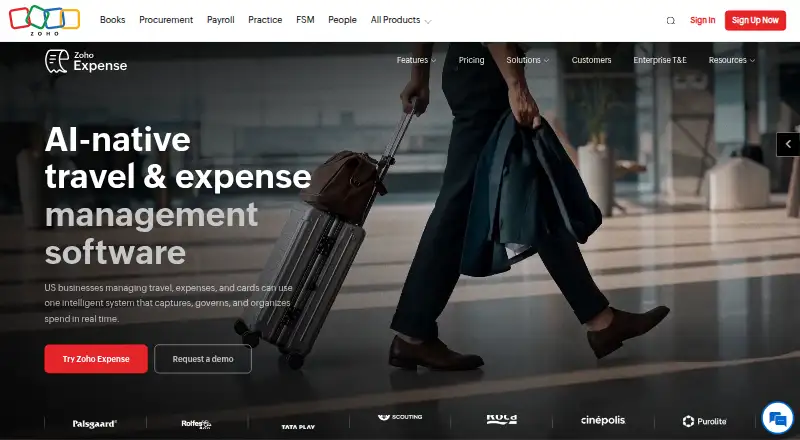
Zoho Expense helps businesses capture receipts, organize expenses into reports, route approvals, and manage travel and spending. It offers mobile apps, accounting and workplace integrations, and a public API. Teams can start on a free tier for up to three users; paid tiers add card management, travel booking, and other features. Check user and receipt-scan limits, and compare monthly with annual prices before choosing a plan.
Review
In a line
Zoho Expense is a cloud-based platform for handling travel and business expenses. It helps businesses collect expenses, prepare reports, handle approvals, and manage spending.
What it does
Employees can scan receipts, sort expenses into reports, and submit them for approval. AI-powered OCR extracts expense details; Standard supports itemized receipt capture in over 38 languages. Mileage tools use GPS for tracking and calculation, and the platform supports reimbursement and per diem needs.
For travel, Premium includes employee self-booking, hotel and flight options, guest bookings, and a travel desk tool. The service also supports corporate card feeds, spend controls, transaction matching, and expense categorization.
How it connects
Accounting connections listed for Zoho Expense include QuickBooks, Sage, Xero, Oracle, SAP, and Zoho Books. The product also integrates with Slack and Microsoft Teams; other listed connections include ride services, cloud storage, and VAT-reclaim services.
A public API lets other software work with expenses, receipts, reports, users, trips, and reimbursement actions. Zoho provides Sigma-based extensions that can add custom fields, workflows, templates, and other capabilities. It is a hosted service, not open-source software.
The service is available on the web, Android, iOS, macOS, and as an extension. Zoho says it encrypts customer data in transit and at rest, separates customer data, and offers controls such as multi-factor sign-in and role-based access.
Good fit
It can suit small businesses that need receipt capture and expense approvals, or growing teams that also want corporate card management. Larger organizations may value travel booking, multiple-entity management, and custom integrations, depending on the plan.
The mobile apps support receipt scanning, mileage tracking, approvals, travel itineraries, and offline expense entry.
Watch for
The Free tier caps membership at three users and scanning at 20 receipts per user each month. Standard raises the monthly scan allowance to 200, while Premium sets it at 1,000; consider whether the relevant ceiling suits your team's usage.
Custom is available to organizations of 100 users or more, with prices provided on request. The platform is delivered online rather than installed on a company's own servers.
Pricing
The no-cost Free tier includes a maximum of three users, 5 GB of receipt storage, 20 scans per user each month, a basic audit trail, and email support.
Standard is priced at $4 per user monthly with month-to-month billing, or $3 per user monthly on annual billing. It adds itemized receipt reading in 38+ languages, corporate cards, multiple policies, cash advances, ACH payments, and single sign-on.
Premium costs $6 per user monthly on monthly billing, or $5 per user monthly when billed annually. It adds employee travel booking and other travel tools, live mileage, per diem features, multi-entity management, and carbon tracking. Custom pricing is provided on request for organizations with a 100-user minimum. Zoho offers a 14-day free trial without requiring credit card information.
Verdict
Zoho Expense is worth considering if your business wants receipts, reports, approvals, and reimbursements in one online service, especially if you already use one of its listed accounting or workplace integrations. Teams can begin with the free tier, while Standard and Premium bring card and travel capabilities.
Check scan allowances and billing frequency before settling on a plan. Teams below 100 users should also note that Custom is not an option under its stated minimum. If you need software you can host yourself or open-source code, Zoho Expense is not a match.
Our take
Zoho Expense may suit a business that wants to bring receipt collection, expense reports, approvals, and reimbursements together, with card and travel tools available on paid plans. Its listed accounting integrations and public API can matter when it needs to fit existing systems. The Free tier limits both team size and monthly receipt scans, so weigh those caps against your team's volume. Compare annual and monthly rates, and bear in mind that Custom is reserved for organizations with at least 100 users.
- Free plan for up to 3 users, with 5 GB receipt storage
- Receipt data extraction supports more than 38 languages
- Integrations include QuickBooks, Xero, Sage, and Zoho Books
- Public API covers expenses, reports, receipts, trips, and reimbursements
- Mobile apps support mileage, approvals, and offline expense entry
- Free plan caps receipt scans at 20 per user each month
- Standard and Premium also have monthly scan limits
- Custom is offered only to organizations with 100 users or more
- Custom plan pricing is available on request
- Online service; customers cannot self-host it
- Pick it ifSmall businesses starting expense tracking with a free plan; Teams linking expenses to accounting or workplace tools; Larger organizations needing travel and card management
- Skip it ifYou need open-source software or a service you can host yourself; Your team needs more free receipt scans than the plan allows; You have fewer than 100 users and need Custom plan features
Pricing
The Free tier has a three-user limit and 20 receipt scans per user per month. Standard and Premium have lower per-user rates with annual billing than with monthly billing. Custom is offered to organizations with 100 users or more, with pricing on request. A 14-day trial is available without credit card information.
- FreeMaximum 3 users · 5 GB receipt storage · 20 monthly receipt scans · basic audit trail · email supportFree
- Standard$4 per user/month billed monthly; $3 per user/month billed annually · Itemized OCR in 38+ languages · corporate cards · multiple policies · cash advances · ACH payments · SSO$4/mo
- Premium$6 per user/month billed monthly; $5 per user/month billed annually · Employee self-booking · global hotel and flight inventory · travel desk · GSA per diem · live mileage · multi-entity management · carbon tracking$6/mo
- CustomMinimum 100 users · dedicated account manager · priority global support · custom ERP and HRMS integrations · SFTP exports · IP whitelistingOn request
As zoho.com lists them, checked 15 Oct 2026.
Questions
Is Zoho Expense free?
Yes. The Free plan supports up to three users, 5 GB of receipt storage, and 20 receipt scans per user each month.
What does Zoho Expense cost?
Standard is $4 per user a month with monthly billing or $3 with annual billing. Premium is $6 with monthly billing or $5 with annual billing. Custom prices are provided on request.
Is there a free trial of Zoho Expense?
Yes. The 14-day trial does not require credit card information.
Which accounting integrations does Zoho Expense offer?
Listed connections include QuickBooks Online and Desktop, Xero, Sage Accounting, Zoho Books, SAP, Oracle, Microsoft Dynamics, and NetSuite.
Does Zoho Expense support mileage tracking?
Yes. Its mileage tools use GPS and support automatic IRS-compliant mileage tracking.
Can Zoho Expense be self-hosted or used as open-source software?
No. It is an online hosted service and is not distributed as open-source software.