
Fellow Meeting Assistant Review
fellow.ai · checked 28 Sept 2026
Fellow records, transcribes and summarizes meetings, then tracks decisions and action items.
How it plugs in
Signal on AI Meeting Assistants7.6#2 of 82
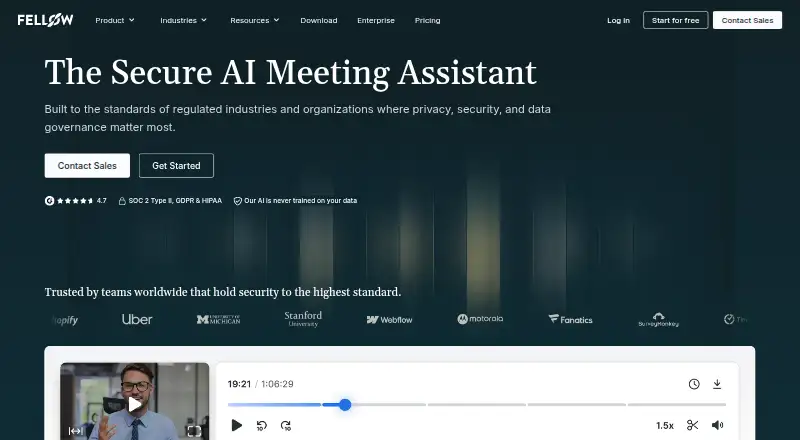
Fellow is an AI meeting assistant for recording calls and in-person meetings. It creates transcripts, summaries, decisions and action items, with searchable history and speaker labels. Fellow works across major meeting services, mobile and desktop apps, and more than 50 connected tools. A free plan is available, with paid plans priced per active user.
Review
In a line
Fellow is an AI meeting assistant that records meetings, turns speech into text and creates a Meeting Recap with summaries, decisions and action items.
What it does
Fellow captures meetings through a bot or directly through its desktop and mobile apps. With direct capture, the app records audio without a bot entering the call.
It produces transcripts, audio or video recordings, speaker labels, summaries and automatically identified action items. Its searchable archive stores past meeting notes, and Ask Fellow can search those records for decisions and follow-ups.
Fellow's AI Note Taker can transcribe speech in 93 languages. Fellow also lists 99 transcription languages overall, so check which feature covers the languages your team needs.
How it connects
Fellow works with Google Meet, Zoom, Microsoft Teams, Slack Huddles and in-person meetings. Calendar connections are supported, and the service runs on Android, iOS, macOS, Windows, the web and as an extension.
It connects to more than 50 tools, including Salesforce, HubSpot, Jira, Asana, Linear, ClickUp, Trello, GitHub, Claude, Zapier, Glean and Global Relay. Enterprise customers also get a Super Admin API. See other AI meeting assistants and meeting management software.
Good fit
Fellow suits individuals and teams that want meeting records, searchable notes and follow-up tracking in one service. Team and Business plans target small teams and organization-wide meeting support.
Admins can set consent workflows, and participants can pause or resume recording for off-the-record discussion. Security controls include SOC 2 Type II certification, HIPAA eligibility, GDPR compliance and CCPA compliance.
Watch for
On Free, each user gets five AI notes and five AI recordings for life, and the workspace can have no more than five seats. Team allows 20 seats, while Business allows 50.
Workspaces are billed for the number of active users at the beginning of each monthly or yearly cycle. Enterprise starts at 10 users. Check the language coverage and seat limits before choosing a plan.
Fellow says meeting data is not used to train its own or third-party AI models, even on Free. Admins can set retention rules, including optional zero-day retention, while higher tiers add onboarding and dedicated account management.
Pricing
The $0 Free plan gives each user five AI notes and five AI recordings for life. A 14-day trial is available; when it ends, the workspace moves to Free.
With annual billing, Team is $7 per user per month; month-to-month billing is $11 per user per month. It provides 10 AI notes per user each month, 10 AI recordings per user and up to 20 seats.
Business is $15 per user per month on annual billing or $23 with monthly billing. The plan includes unlimited AI notes and unlimited AI recordings, with a 50-seat maximum. Enterprise is $25 per user per month on annual billing; contact sales for details. It starts at 10 users and includes unlimited AI notes, unlimited AI recordings and unlimited maximum seats.
Verdict
Choose Fellow if your meetings need searchable transcripts, clear follow-ups and connections to common work tools. The lifetime Free allowance is suitable for limited use, while paid tiers raise recording and note limits.
Look elsewhere if you need more than five Free seats, do not want billing based on active users, or require language coverage outside the feature limits you confirm. Enterprise is the route for advanced administration, audit logs, SSO/SAML and provisioning.
Our take
Fellow is a practical choice for people who want meeting capture and follow-up records tied to their existing work apps. Its free allowance can cover light use, and paid plans scale from small teams to enterprise deployments. Before buying, confirm the transcription language you need, expected active-user count and seat ceiling. Teams with strict governance requirements should review the enterprise controls, while anyone needing only occasional notes may find the lifetime Free limits sufficient.
- Records and summarizes meetings with decisions and action items
- Searches past transcripts, summaries and notes
- Connects to more than 50 work tools
- Free plan includes lifetime AI note and recording allowances
- Desktop and mobile apps can record audio without a meeting bot
- Free permits no more than five seats
- Each Free user has five lifetime AI notes and five lifetime AI recordings
- Team and Business plans have seat maximums
- Transcription language counts differ by feature
- Enterprise starts at 10 users
- Pick it ifTeams needing searchable meeting records and follow-up tracking; Organizations connecting meeting notes to work tools; Buyers wanting a free starting plan
- Skip it ifYou need more than five Free seats or uncapped Free recording; Your required language is not covered by the selected transcription feature; You want pricing that does not depend on active users
Pricing
Free is available with lifetime per-user limits. Team and Business offer lower per-user rates with annual billing than with monthly billing; Enterprise lists an annual per-user price and directs buyers to contact sales. A 14-day trial reverts to Free, and workspaces are billed for active users at the start of each billing cycle.
- Freebilled annually · 5 AI notes (lifetime) per user · 5 AI recordings (lifetime) per userFree
- Teamper user / month billed annually; $11 billed monthly · 10 AI notes/user/month · 10 AI recordings/user · 20 maximum seats$7/mo
- Businessper user / month billed annually; $23 billed monthly · Unlimited AI notes · Unlimited AI recordings · 50 maximum seats$15/mo
- Enterpriseper user / month billed annually; Contact sales · Unlimited AI notes · Unlimited AI recordings · Starts at 10 users · Unlimited maximum seats$25/mo
As fellow.ai lists them, checked 28 Sept 2026.
Questions
Does Fellow have a free plan?
Yes. Each Free user receives five AI notes and five AI recordings for life, and the plan allows up to five seats.
What meeting platforms does Fellow support?
It supports Google Meet, Zoom, Microsoft Teams, Slack Huddles and in-person meetings.
How many languages can Fellow transcribe?
Fellow lists 99 transcription languages overall. The AI Note Taker covers 93 languages.
Can Fellow record without a meeting bot?
Yes. Audio can be captured directly in the desktop and mobile apps, without a bot joining the call.
What happens after the trial?
After the 14-day trial ends, the workspace is downgraded to the Free plan.
Does Fellow train AI models on meeting data?
No. Meeting data is not used to train Fellow or third-party AI models, including when using Free.
What does Enterprise add?
Enterprise includes RBAC, SSO/SAML, provisioning, retention controls, audit logs and a Super Admin API. It starts at 10 users.