MeetGeek: Meeting Transcription, Summaries, and Pricing
meetgeek.ai · checked 28 Sept 2026
MeetGeek records meetings, transcribes them, and creates summaries and action items.
How it plugs in
Signal on Meeting Notes Software7.2#10 of 112
MeetGeek captures and transcribes online, hybrid, and in-person meetings. Recording may use a bot or no bot, with speaker identification plus searchable transcripts, summaries, and action items. It works on iOS, Android, and self-hosted setups, with plans ranging from a free tier to custom Enterprise pricing.
Review
In a line
MeetGeek records meetings and turns them into searchable transcripts, summaries, and tracked action items. Online, hybrid, and in-person sessions are all covered.
What it does
A bot can capture meetings, while bot-free recording is also available. MeetGeek records audio, labels speakers, and automatically detects and transcribes more than 100 languages.
Its tools include AI summaries, action items, AI chat, note templates, searchable meetings, workflows, voice agents, and analytics. This makes it suitable for teams that need meeting transcription software and follow-up notes.
How it connects
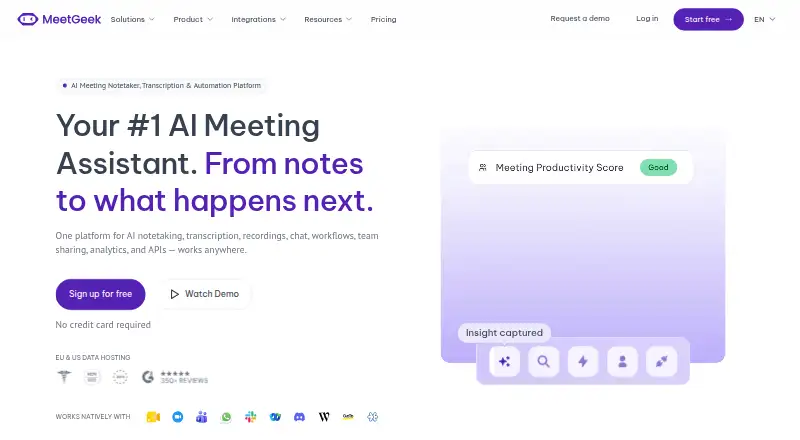
Connections include Zoom, Google Meet, Microsoft Teams, Webex, Discord, Zoom Webinars, and Slack. Calendar links are available, and meeting notes and insights can flow across more than 10,000 apps.
The service runs through mobile apps for iOS and Android, and it offers self-hosted use. Capture can be bot-based or bot-free, including for in-person meetings. Data can be hosted in the EU or US, while Enterprise supports on-premise storage.
Good fit
MeetGeek suits individuals and teams that want automatic records and follow-up from recurring meetings. Business adds team spaces, automatic sharing, comments, and team analytics.
It can fit organizations comparing meeting intelligence software or a meeting assistant software option, especially when language coverage and searchable archives matter.
Watch for
The free Basic plan allows 3 hours of transcription each month, keeps transcripts for 3 months, and keeps audio for 1 month. Pro provides 20 monthly transcription hours, with additional hours billed at $0.50 each.
Storage and recording limits vary by plan. Business limits each recording to 3 hours, while Enterprise sets a 4-hour limit. Check which storage period, hosting location, and admin controls your organization needs.
Enterprise is the tier with SSO, SCIM, organization-wide settings, locks, custom retention, custom storage, and dedicated support.
Pricing
Basic remains free and comes with 3 monthly transcription hours, 3 months of transcript retention, and 1 month of audio retention. The $15.99 monthly Pro plan provides 20 transcription hours, a year of transcript storage, and 6 months of audio storage.
After its 14-day trial, Business is $27 per month. This tier provides unlimited transcription and transcript storage, 12 months of video storage, and a 3-hour recording ceiling per meeting. Enterprise pricing is available on request and includes unlimited transcription, custom storage, and dedicated support.
The service is freemium, with paid plans listed from $9.99 per user per month when billed annually. Startups, nonprofits, and education organizations receive 30% off.
Verdict
Choose MeetGeek if your meetings span several major platforms and you want automatic transcripts, summaries, and action tracking in one place. The free tier is suitable for light use, while Pro and Business add more hours and storage.
Review hosting, retention, and collaboration needs before selecting a plan.
Our take
MeetGeek is a practical choice for people who want meeting records without writing notes themselves. Coverage across many platforms, transcription in more than 100 languages, and a searchable archive can serve varied teams. Basic gives occasional users a no-cost starting point, while Pro and Business provide higher limits. Larger organizations may value self-hosting, on-premise storage, and Enterprise controls, but they must request a custom price. Check each plan’s storage window and recording cap, and confirm whether the bot or bot-free capture mode fits your meeting rules.
- Transcribes more than 100 languages with automatic detection
- Covers Zoom, Google Meet, Teams, Webex, Discord, Slack, and more
- Creates summaries, action items, speaker labels, and searchable meetings
- Free plan includes 3 transcription hours each month
- Available on iOS, Android, and self-hosted setups
- Basic storage lasts 3 months for transcripts and 1 month for audio
- Pro charges $0.50 for each transcription hour over 20 monthly hours
- Business recordings are limited to 3 hours each
- Enterprise features and pricing require a custom plan
- Pick it ifTeams needing searchable transcripts and action tracking; Organizations using several meeting platforms; Users wanting free or self-hosted meeting capture
- Skip it ifYou need recordings longer than the plan limits; You require a published Enterprise price; Your storage or retention needs differ from the listed terms
Pricing
Basic is free forever. Pro is $15.99 monthly, while Business is $27 monthly after a 14-day trial. Enterprise pricing is by request, and eligible startups, nonprofits, and education groups get 30% off.
- BasicFree forever · 3 hours of transcription/month · 3 months transcript storage · 1 month audio storageFree
- Probilled monthly · 20 hours of transcription/month · 1 year transcript storage · 6 months audio storage · $0.50 per extra hour$15.99/mo
- Business14-day free trial · Unlimited transcription · Unlimited transcript storage · 12 months video storage · 3-hour recording limit per meeting$27/mo
- EnterpriseUnlimited transcription · Unlimited transcript storage · Custom video storage · 4-hour recording limit per meetingOn request
As meetgeek.ai lists them, checked 28 Sept 2026.
Questions
Does MeetGeek have a free plan?
Yes. Basic remains free and provides 3 hours of transcription each month, 3 months of transcript storage, and 1 month of audio storage.
Which meeting services does MeetGeek support?
MeetGeek connects with Zoom, Google Meet, Microsoft Teams, Webex, Discord, Zoom Webinars, and Slack, and it also supports calendar integrations.
How many languages can MeetGeek transcribe?
Automatic language detection lets MeetGeek transcribe over 100 languages.
Can MeetGeek record without a bot?
Yes. Recording is available both with a bot and without one for online, hybrid, and in-person meetings.
What does MeetGeek Pro cost?
Pro is $15.99 per month and covers 20 transcription hours; each additional hour costs $0.50.
Does MeetGeek offer a trial?
Yes. Business comes with a 14-day trial.
Does MeetGeek provide self-hosting or on-premise storage?
Self-hosted use is supported. Enterprise also offers on-premise storage, along with EU and US hosting options.