Kustomer: Customer Service and AI Platform
kustomer.com · checked 16 Nov 2026
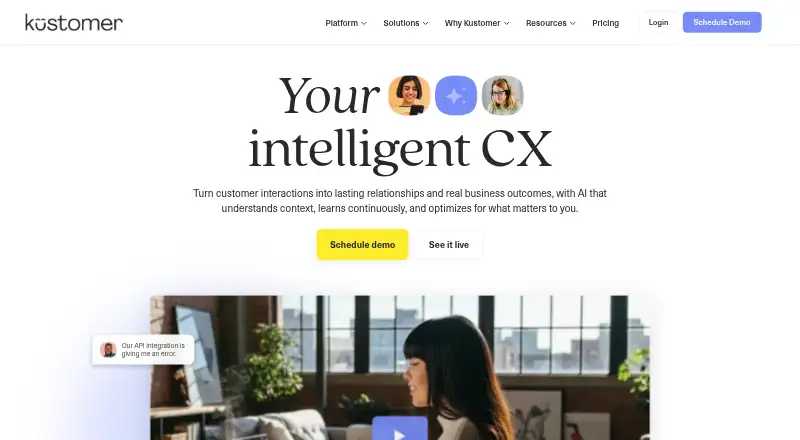
Kustomer brings customer conversations, service tools, and AI agents into one customer experience platform.
How it plugs in
Signal on AI Customer Service Agents6.7#3 of 56
Customer records appear alongside interactions across chat, email, voice, and social. Service teams can draw on automation and AI agents; managers can check AI actions and send higher-risk conversations to people. The platform also includes analytics, a help center, a customer portal, and integrations. It runs on the web, Android, and iOS, and provides API access. To learn the price, contact Kustomer.
Review
In a line
Kustomer is an AI-native customer experience platform built to manage customer relationships and service conversations. It brings together customer records, support tools, and AI agents.
What it does
Interactions from chat, email, voice, and social appear in a timeline for each customer. Profiles can use custom objects and attributes to organize information such as purchase history and preferences.
AI agents support service, while tools give human representatives context, intelligence, and suggested actions. Managers can approve or review AI actions, and guardrails can direct high-risk conversations to a human.
Customer experience teams can use Kustomer Architect to design, build, test, launch, analyze, and optimize AI experiences without code. Data Explorer answers questions in plain language and presents charts and breakdowns; the platform also monitors customer experience trends in real time.
How it connects
Kustomer's integration library names services including 8x8, Acuity Scheduling, Ada, AfterShip, Aircall, Amazon Connect, and Amazon Redshift. Its open API and webhook system can connect other platforms, and custom integrations are available.
Kustomer runs on the web, Android, and iOS. Its features include API access, a shared inbox, ticket automation, SLA management, a help center, and a customer portal.
Good fit
Kustomer says it is built for customers, customer experience representatives and leaders, and the operations teams that run customer experience. It may suit organizations seeking a unified view of service channels and customer information.
Teams considering AI for service alongside human review may find its approval controls and high-risk conversation routing relevant. For more options, see customer service CRM software and AI customer service agents.
Watch for
Plan limits vary. Enterprise and Ultimate differ in listed allowances for custom objects and tasks, brands, languages, webhooks, and API rate limits. Check those limits against your needs before choosing a plan.
Business and Professional are labeled legacy seat-based plans. Kustomer does not post fixed prices, so buyers need to request a quote.
Pricing
Kustomer is paid software, with prices available by request. Business and Professional are described as legacy seat-based plans; Enterprise and Ultimate are also listed. Each requires a sales conversation for pricing.
Enterprise lists 5 million custom objects and tasks, 25 brands, 20 languages, and a 1,000 requests-per-minute API rate limit. Ultimate lists 100 million custom objects and tasks, 300 brands, all languages, and a 2,000 requests-per-minute limit. Both plans specify webhook allowances.
Verdict
Consider Kustomer if your service operation needs conversations across several channels, structured customer profiles, and both AI and human handling. Its API, webhooks, and integration library provide ways to connect other tools.
It may be a poor fit if you need a public fixed price before speaking with sales or if the stated plan limits do not suit your operation. Compare Enterprise and Ultimate allowances, and confirm which plan and support terms apply to your purchase.
Our take
Kustomer may suit customer experience teams seeking a shared view of customer records and interactions, supported by AI tools and human oversight. Its integration library, API, and webhooks provide connection options. Pricing requires a sales conversation, and plan allowances vary for brands, custom data, languages, webhooks, and API requests. Ask Kustomer to confirm the plan and limits that apply before deciding.
- Customer timelines bring together chat, email, voice, and social
- Managers can review AI actions, and guardrails can route high-risk conversations to people
- Includes API access, webhooks, and an integration library
- Runs on web, Android, and iOS
- Includes a help center, customer portal, and ticket automation
- Prices are not posted publicly
- Enterprise and Ultimate have different usage and feature limits
- Business and Professional are labeled legacy seat-based plans
- Pick it ifCustomer experience teams handling service across several channels; Operations teams needing customer profiles and service workflows; Teams evaluating AI service with human review
- Skip it ifYou need a fixed public price before speaking with sales; The listed Enterprise or Ultimate limits do not suit your needs
Pricing
All listed plans are priced on request. Business and Professional are legacy seat-based plans; Enterprise and Ultimate differ in allowances for data, brands, languages, webhooks, and API requests. Ask sales for the price and terms that apply to your needs.
- Business (legacy seat-based plan)Talk to Sales · Unlimited conversations · 100 custom attributes · 500 RPM API rate limit · 5 brandsOn request
- EnterpriseTalk to Sales · 5M custom objects & tasks · 1,000 RPM API rate limit · 25 brands · 20 languages · 2 outbound webhooks · 10 inbound webhooksOn request
- Professional (legacy seat-based plan)Talk to Sales · Unlimited conversations · 50 custom attributes · 300 RPM API rate limit · 1 brandOn request
- UltimateTalk to Sales · 100M custom objects & tasks · 2,000 RPM API rate limit · 300 brands · all languages · 5 outbound webhooks · 20 inbound webhooksOn request
As kustomer.com lists them, checked 4 Oct 2026.
Questions
How much does Kustomer cost?
Pricing is available by request. The listed plans require a conversation with sales.
Does Kustomer have AI agents?
Yes. Its AI agents support customer service, and tools provide human representatives with context, intelligence, and suggested actions. Managers can review and approve AI actions.
Which channels does Kustomer bring together?
Customer interactions from chat, email, voice, and social are organized in customer timelines.
Can Kustomer connect with other software?
Yes. Its integration library includes services such as Aircall, Amazon Connect, and Amazon Redshift. It also provides an open API, webhooks, and custom integrations.
Which devices can run Kustomer?
Kustomer is available on the web, Android, and iOS.
How do Enterprise and Ultimate differ?
Their listed limits vary for custom objects and tasks, brands, languages, webhooks, and API rate limits. Enterprise lists 25 brands and 1,000 requests per minute; Ultimate lists 300 brands and 2,000 requests per minute.